

Test Runs Overview
Test Runs provide structured testing for your AI systems — aka “evaluations”, enabling you to validate performance across datasets, compare versions of your system as you make changes, and catch regressions before they reach production. Freeplay supports two complementary testing approaches designed for different stages of your development workflow, which we call “component” and “end-to-end” tests.Core Concepts
A Test Run evaluates your LLM pipeline against a dataset to measure performance, using evaluation metrics you choose and define for your use case. Each run processes your test cases through the pipeline, applies evaluation scores, and provides both aggregate and row-level insights. The foundation of any test is your dataset — a curated collection of scenarios that represent important use cases, edge conditions, and known failure modes. Test Runs integrate with Freeplay’s overall evaluation system, allowing you to apply model-graded evals, code-based checks, and human review to assess quality. You can compare results across different versions of your prompts, tools, models, or other parts of your system by creating separate Test Runs for each version you want to compare, then comparing scores head to head (either in the Freeplay UI, or your code).When to Use Each Approach
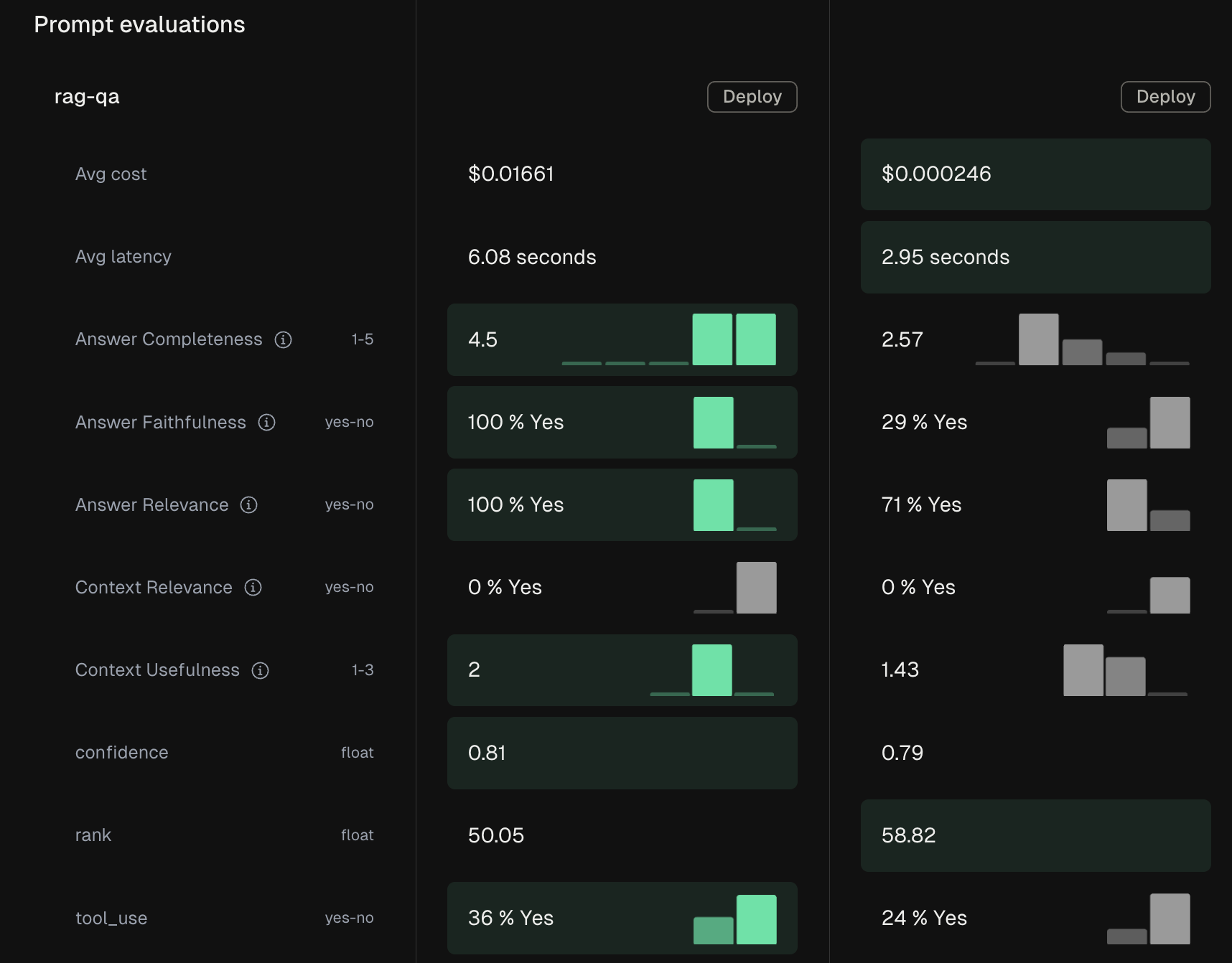
The choice between component and end-to-end testing depends on what you’re trying to validate. Our suggestinon:- Use component testing when iterating on a specific prompt, model, or tool to validate your changes in isolation
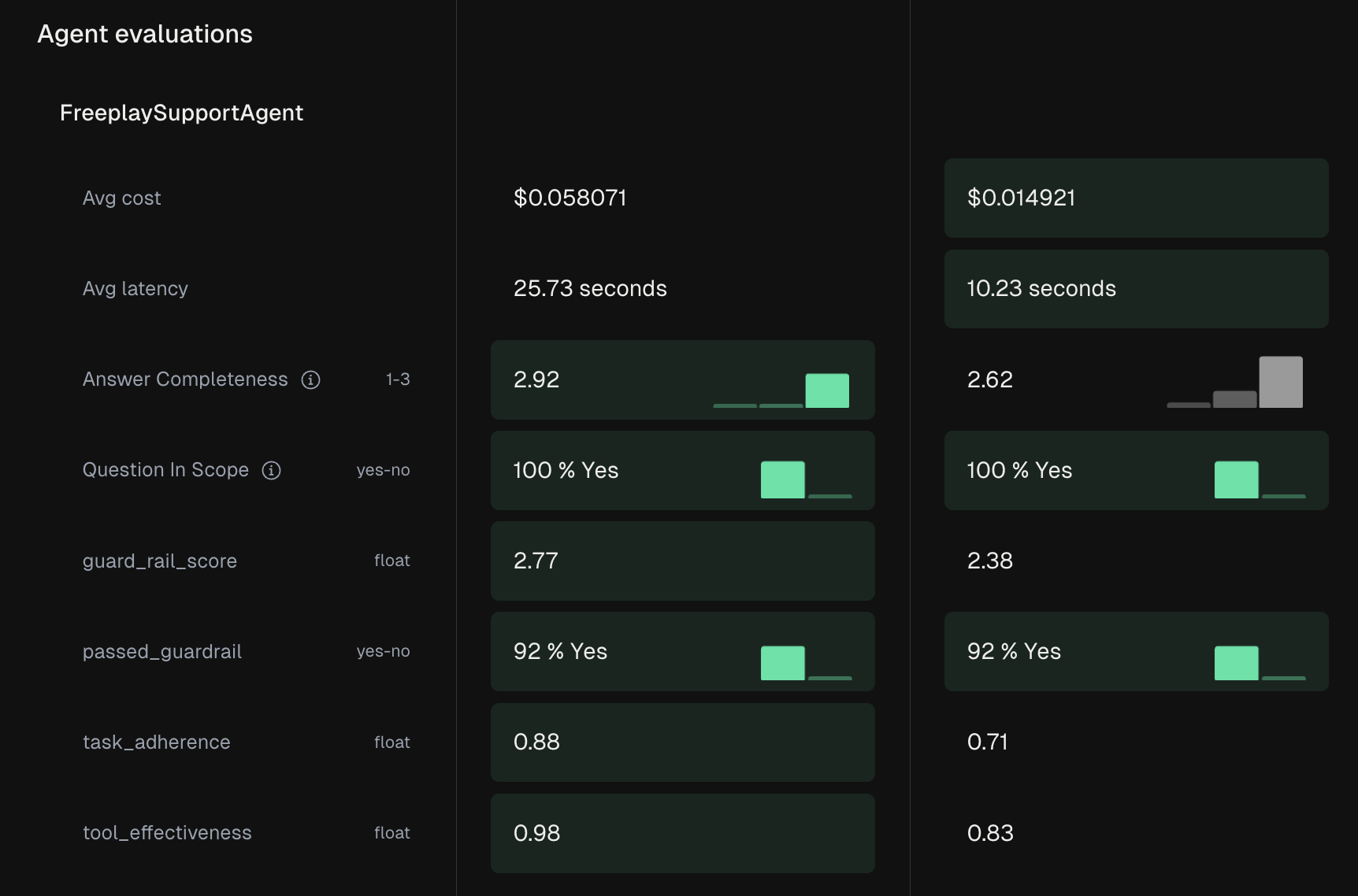
- Use end-to-end testing for your entire code path to test how a given set of inputs turns into outputs for your agent or system
Testing Approaches
Component-Level Test Runs
End-to-End Test Runs
Getting Started
For developers, begin by installing the Freeplay SDK and creating datasets from your production data. Set up both end-to-end and component tests as part of your development workflow, and integrat them into your CI/CD pipeline for automated validation when ready. Product teams can jump straight into the Freeplay UI to create test datasets from important use cases and run component tests on prompt changes. The visual interface makes it easy to review results and provide feedback without technical expertise.API Reference: See the Create Test Run, List Test Runs, and Get Test Run Results endpoints. Test runs work with both Prompt Datasets and Agent Datasets.
What’s Next Now that you’re armed with the ability to test your models, let’s move onto Datasets.