

Introduction
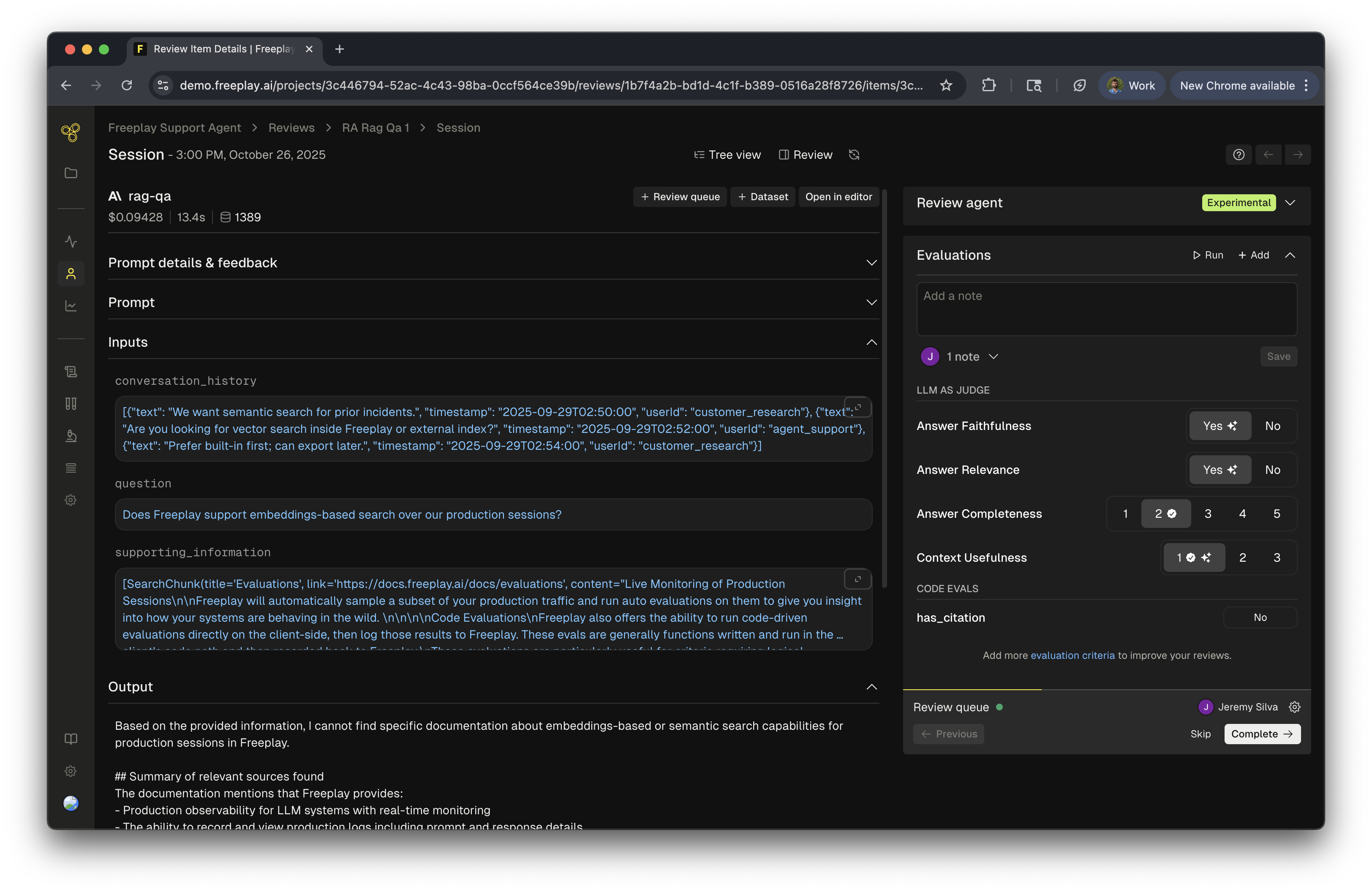
Streamline human review of your LLM systems with Freeplay’s Review Queues. Organize work assignments, generate actionable insights, and transform observations into meaningful improvements. Review Queues help you establish systematic, organized human review processes for your LLM systems in Freeplay. Easily select completions for your team to evaluate, assign specific work to team members, and generate comprehensive insight reports to share findings across your organization. Review Queues make it simple to maintain consistent review practices and transform observations into actionable improvements.Creating Review Queues
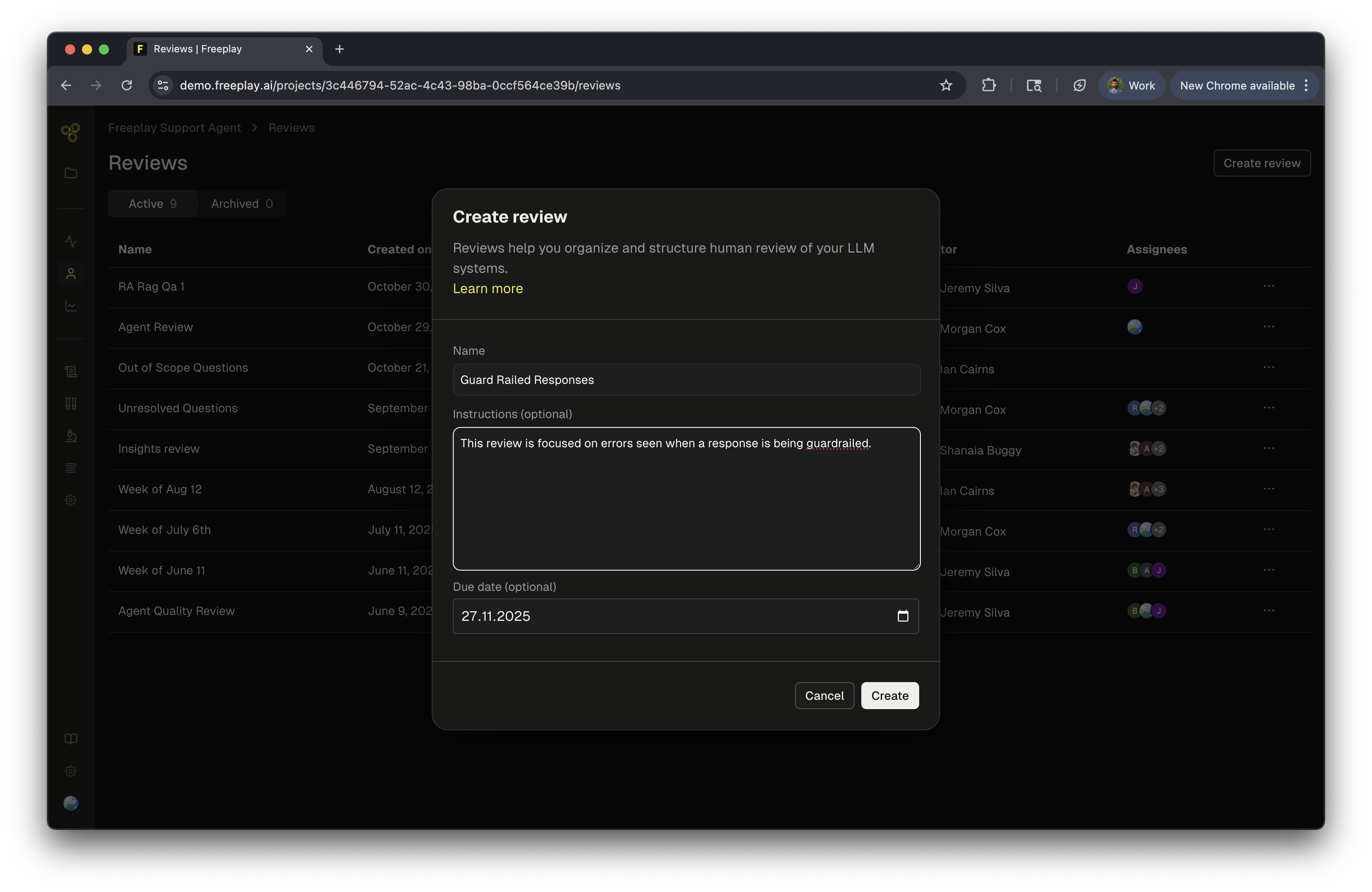
Building Effective Review Queues
Review Queues serve multiple purposes: addressing issues flagged by evaluations, investigating team-identified concerns, or conducting systematic quality assessments. By creating thoughtfully curated review queues, you gain the ability to dive deep into your data, understand underlying patterns, identify areas for improvement, and drive meaningful product enhancements. Teams that actively use Review Queues develop a much deeper understanding of their LLM applications, enabling them to implement targeted changes that deliver real improvements to their products.Adding Data to Review Queues
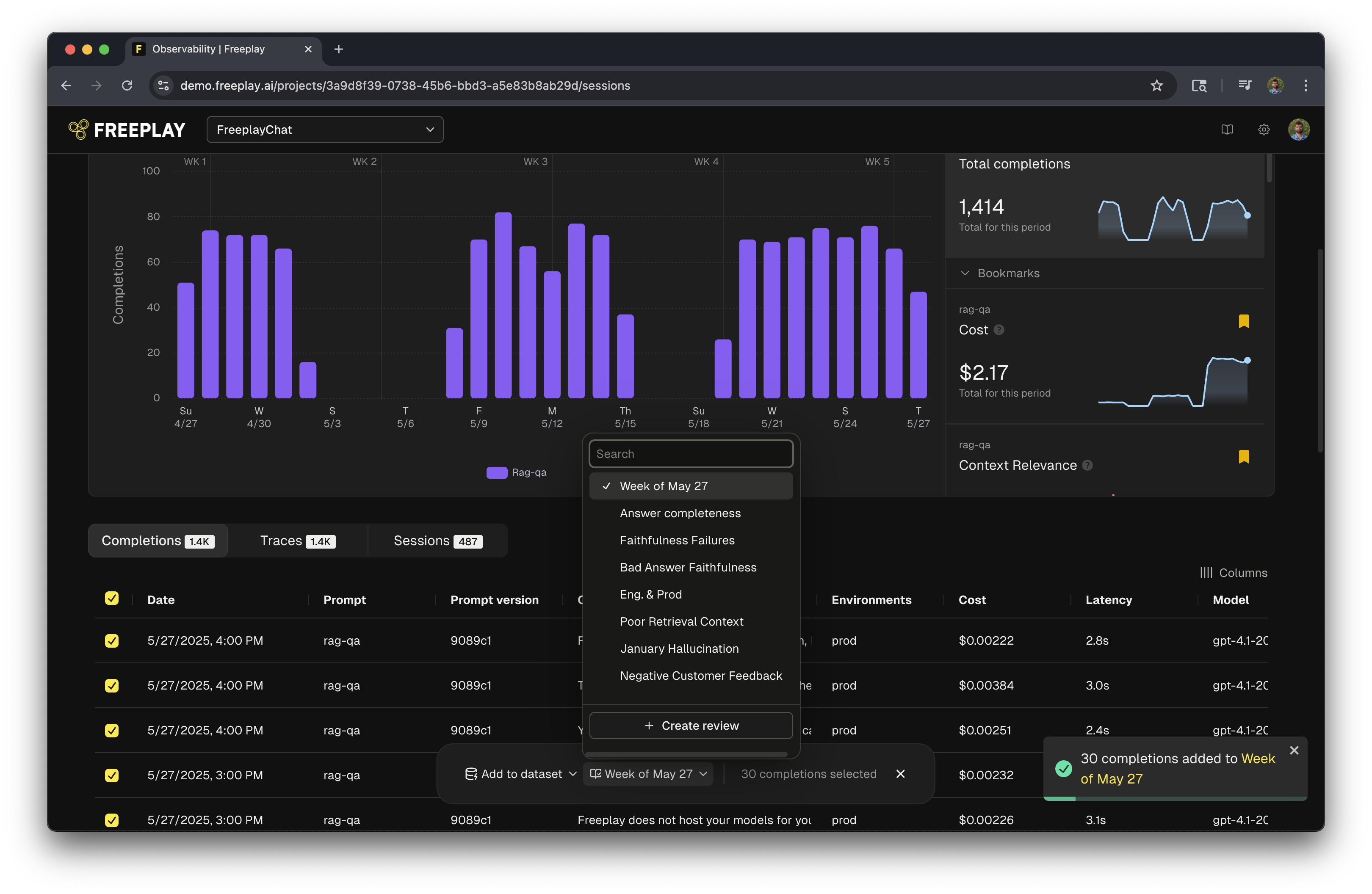
You can add Traces or Completions to a Review Queue for comprehensive analysis. Choose from two convenient methods: Bulk AddIndividual Add Perfect for adding multiple items at once:- Search across specific criteria such as metadata, evaluation scores, or input fields
- Select multiple Completions from the filtered results
- Add them all to your Review Queue in one action
Managing Review Workflows
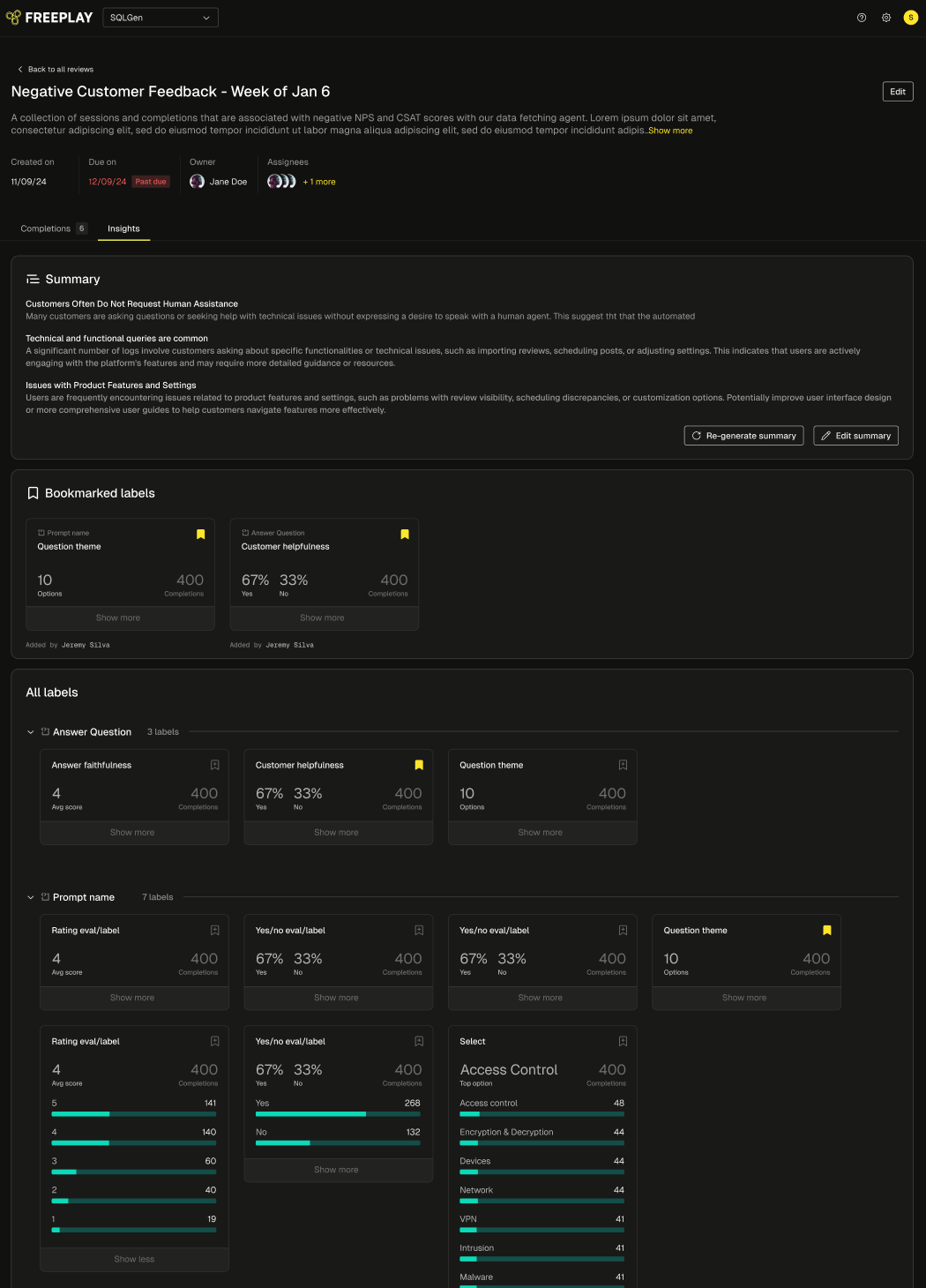
Generating Actionable Insights
Every Review Queue automatically generates a comprehensive insights report, enabling analysts to:- Share findings broadly across the organization
- Highlight key takeaways for stakeholders
- Identify actionable improvements for the LLM system
- Track progress over time
Auto-categorization Datasets