

API-based access to the most powerful AI models in the world is a beautiful thing, opening the door to a whole range of potentially groundbreaking applications. That said, as these LLMs become an increasingly important part of critical applications, the thought of having a single point of failure by way of a dependency on a single LLM provider is giving engineers, SREs and managers everywhere heartburn. And rightfully so, we would never tolerate that kind of brittleness in other parts of our application stack, why should LLM development be any different? The good news is that the number of providers serving cutting edge LLMs by API is growing. This means provider diversification is possible! The bad news, prompt and model configs are not fully portable from one provider to another. Whether it be due to the RLHF process, the underlying training data or other factors, these models each have their own optimal prompting style. This means that in order to have a truly reliable fallback provider you need a prompt and model config that is continually validated against your benchmark dataset and primary provider for both latency and quality. This can be a daunting task without the right tooling and workflows in place. Here’s how Freeplay can help you establish, maintain, and serve a fallback LLM provider. In this case we are using OpenAI as our primary provider and will configure Anthropic as a fallback provider.Documentation Index
Fetch the complete documentation index at: https://docs.freeplay.ai/llms.txt
Use this file to discover all available pages before exploring further.
Step 1: Create a Dataset for Benchmarking
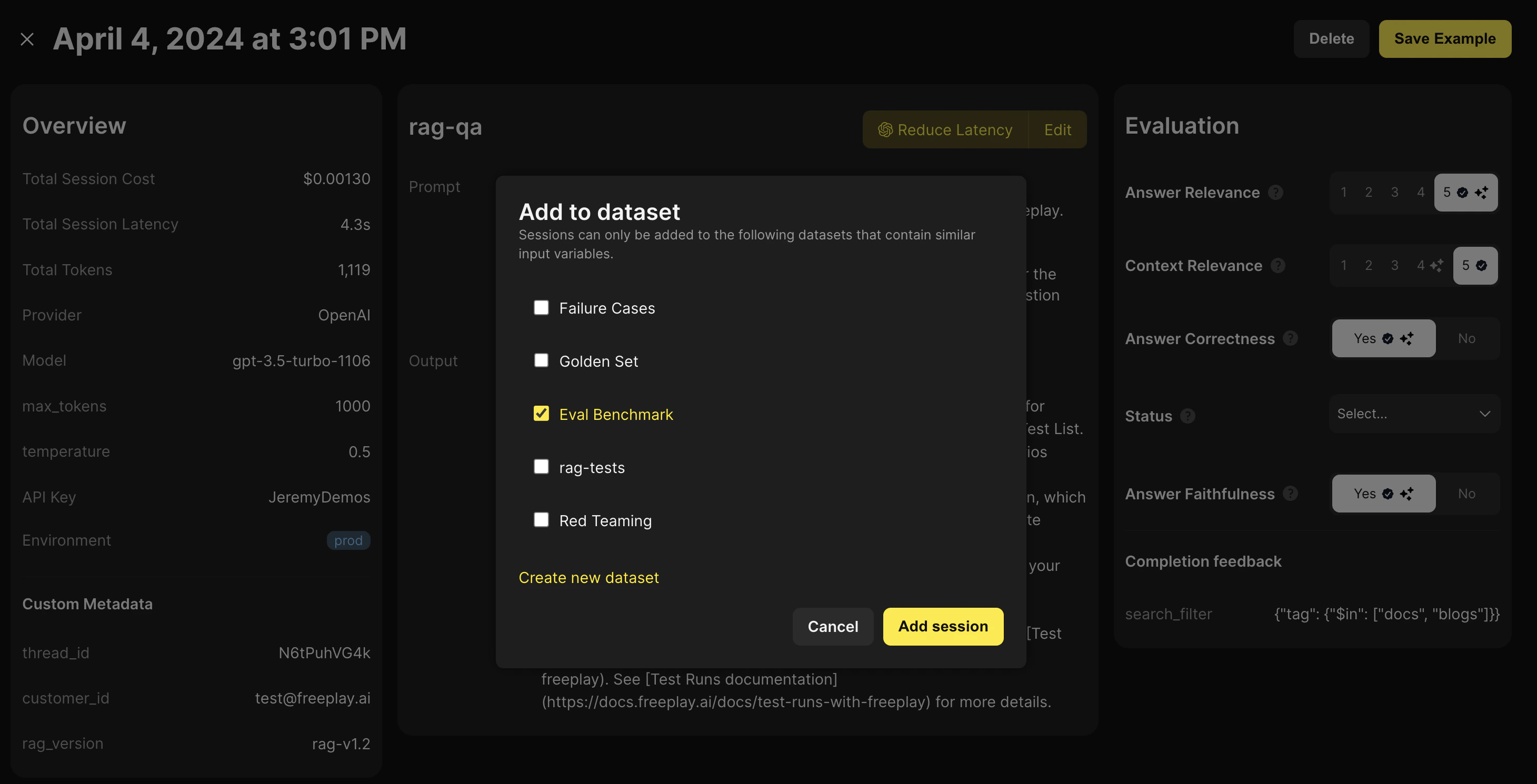
Having a labeled Dataset to test prompt, model, and pipeline changes against is critical for building a repeatable and robust LLM development process. This is also an important foundational component when configuring a fallback LLM provider Freeplay provides in app functionality for you to label and curate dataset from real production sessions.
Step 2: Configure a Prompt Template and Model Config for your Fallback Provider
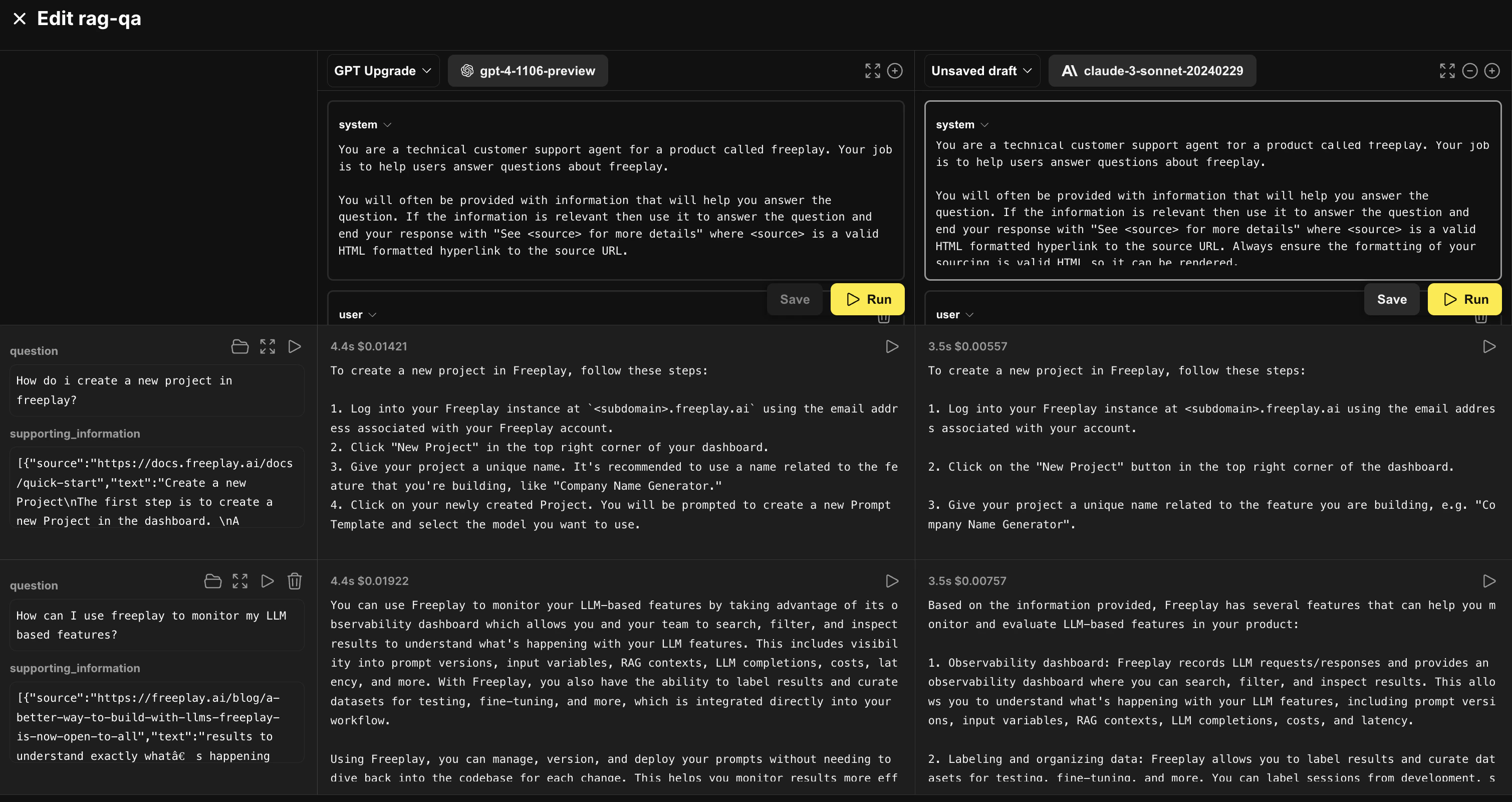
Freeplay’s prompt editor is an interactive playground allowing you to load in data from your datasets and compare prompt versions side by side. Here we have our primary provider prompt pulled up and as we iterate on a prompt for Anthropic’s Sonnet model. We’ve loaded in a few examples from our benchmark dataset to test against.
Step 3: Test your Fallback Provider at Scale
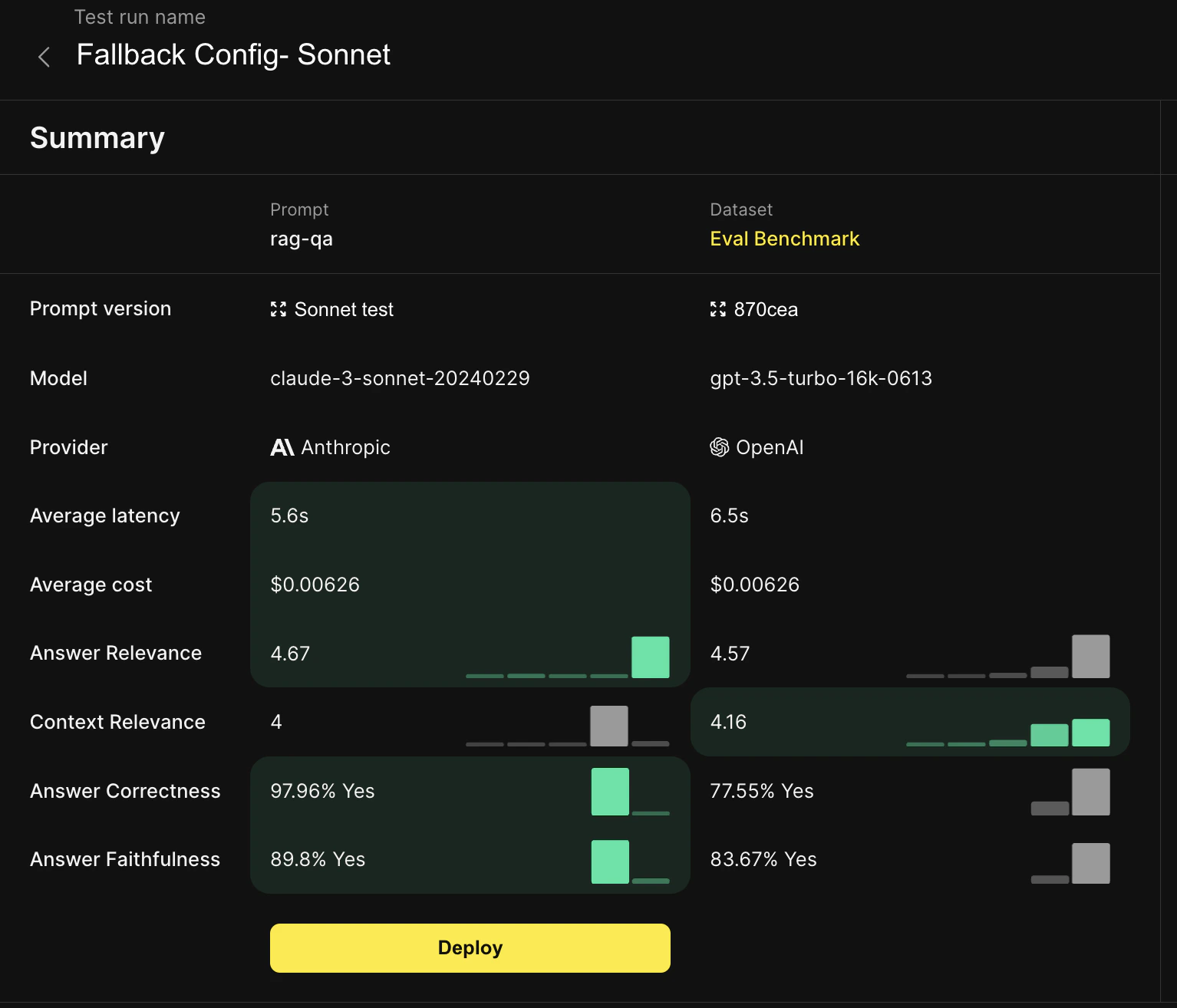
After we’ve created a fallback provider prompt template that seems to work well, we want to test it at scale and compare it to our benchmark dataset, which in this case was generated by our primary provider and human labeled. We can kick off the test run either in app from Freeplay or in code via the Freeplay SDK.
Step 4: Deploy your Fallback Provider and Configure your Application Code Accordingly
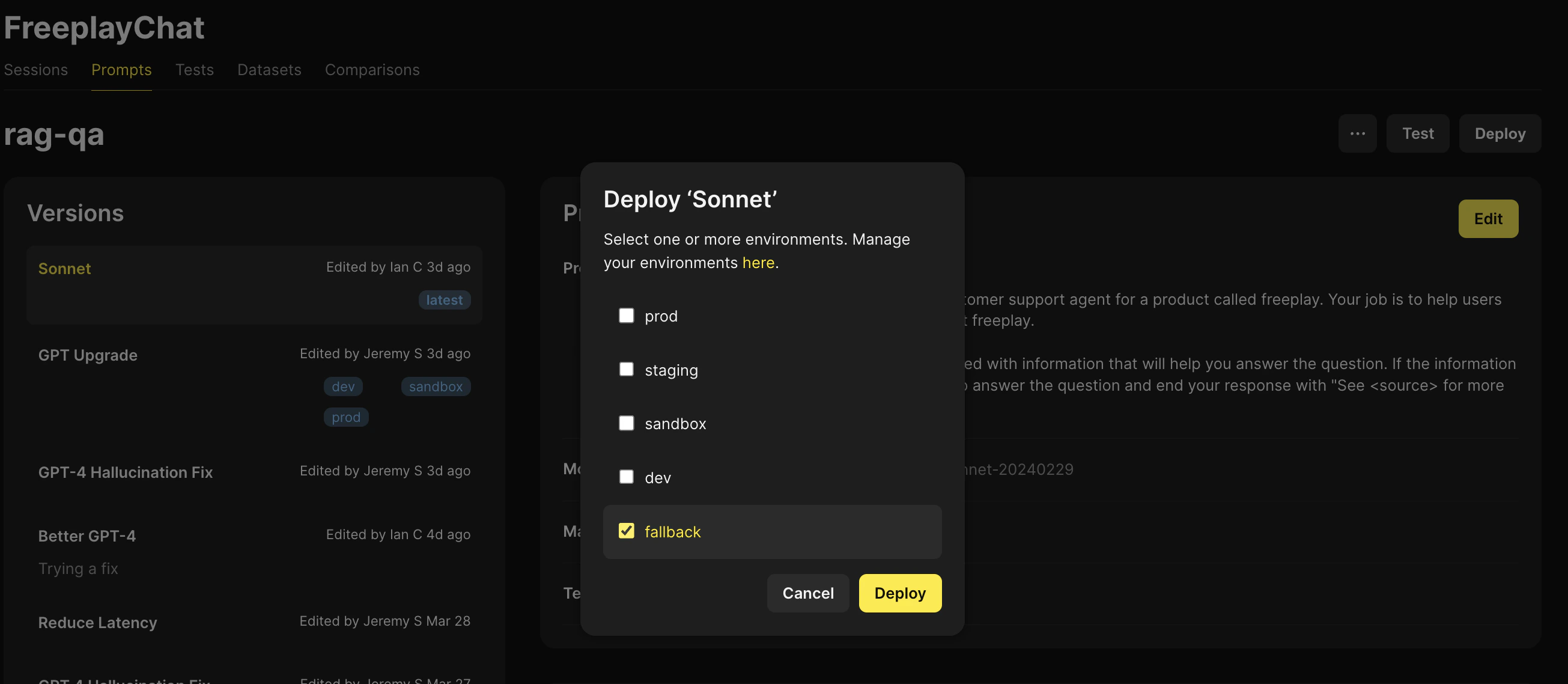
- Using the prompt template from our primary provider we try making a request
- If the request fails, we fetch the prompt template for our secondary provider from Freeplay and make a request
- Record the results back to Freeplay

