

Introduction
Many LLM applications involve more than just one-off, isolated LLM completions. For chatbots especially, they consist of multiple back-and-forth exchanges between a user and assistant. This makes chatbots unique to test and evaluate. This document walks through how to use Freeplay to build, test, review logs, and capture feedback on multi-turn chatbots, including how to make use of a specialhistory object:
- Defining
historyin prompt templates - Managing
historywith the Freeplay SDK - Recording and viewing chat turns in Freeplay as traces
- Managing datasets, configuring evals and automating tests that include
history
Understanding History for Chatbots
First, why does history matter when building a multi-turn chatbot? Importantly, each exchange must be aware of all the previous exchanges in the conversation — aka the “history” — such that the LLM can give an answer that is contextually aware. Experimentation and testing with multi-turn chat must also take history into account, since any simulated test cases need to include relevant context. Consider this series of exchanges between the user and assistant: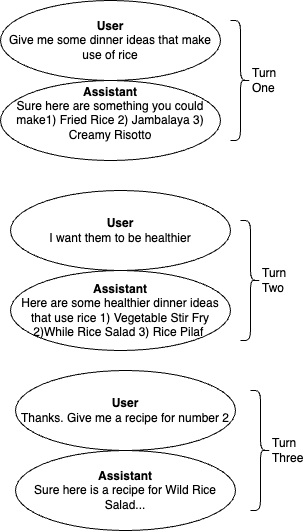
Note: While chatbots are the most common UX that uses this interaction pattern, it can apply more broadly. It can be helpful to think of
history as a way to manage state or memory, since the LLM itself does not store any persistent context from one interaction to the next. Nothing restricts the use of these concepts to a chatbot UX.Using Freeplay with Multi-Turn Chatbots
What’s different about using Freeplay with a chatbot? There are a couple important things to be aware of:- Prompt Templates: You’ll define a special
historyobject in a prompt template allowing you to pass conversation history at the right point. - Recording Multi-Turn Sessions: You’ll record
historywith each new chatbot turn, as well as record messages at the start and end of each trace to make it easy to view theinputandoutput(see Traces documentation). - Managing Datasets & Testing: You’ll curate datasets that contain
historyso you can simulate accurate conversation scenarios when testing. - Configuring Auto-Evaluations: If you’re using model-graded evals, you’ll be able to target
historyobjects for realtime monitoring or test scenarios.
History in Prompt Templates
History should be configured within your Prompt Templates in Freeplay.
When configuring your Prompt Template, you will add a message of typehistory wherever your history messages should be inserted. This tells Freeplay how messages should be ordered when the prompt template is formatted.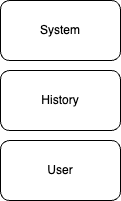
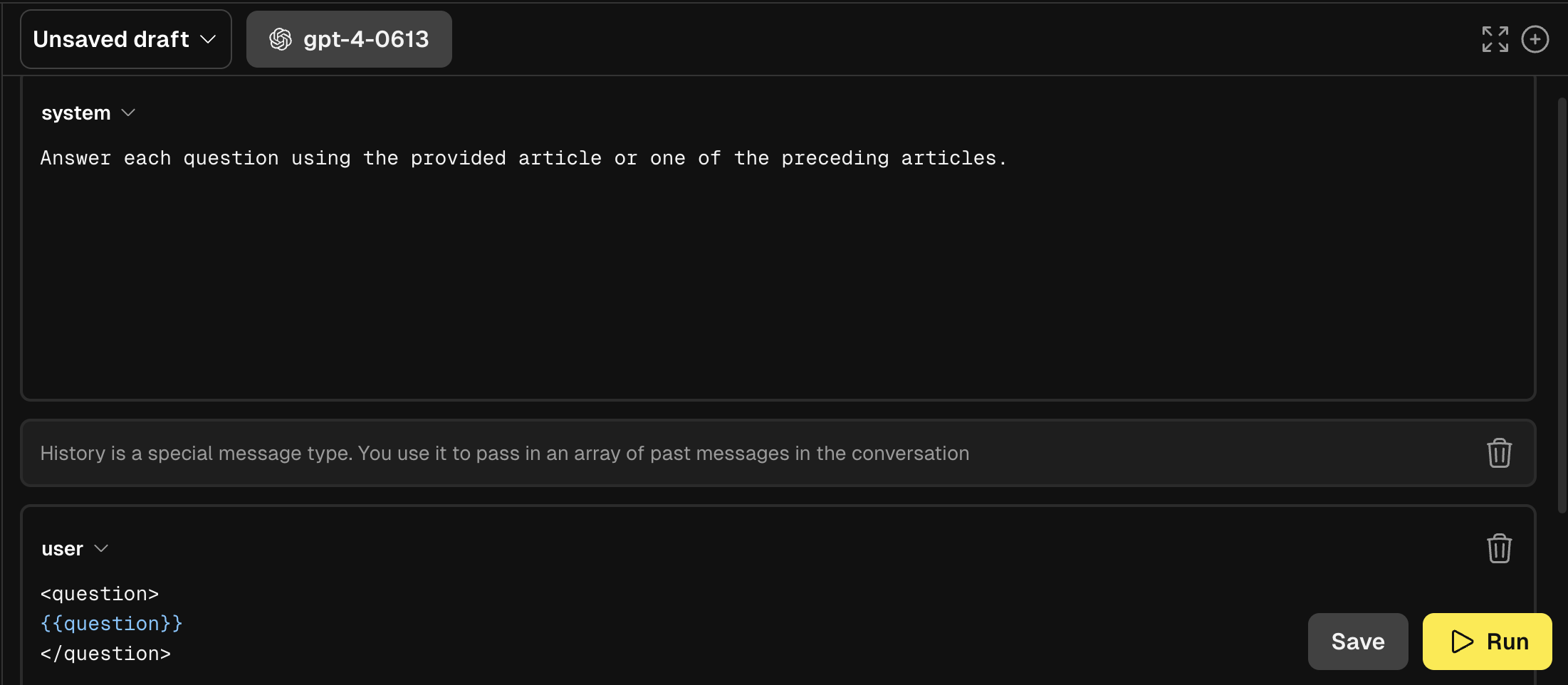
history messages in between the system message and the most recent user message when formatting a prompt.
You must define history in a prompt template before you can pass history values at record time and have them saved properly for use in datasets, testing, etc.
Why configure history explicitly in the prompt template?
While it may seem redundant at first to explicitly configure the placement of history, it allows for the support of more varied prompting patterns. For example, you may have some predefined context that you use to seed the model each time and include multiple messages in a prompt template. In that case, a prompt template could look like the following:
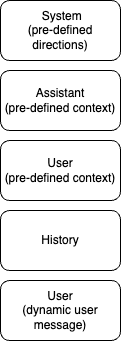
history messages after the first Assistant/User pair, rather than directly after the System message.
Multi-Turn Chat in Logging and Observability
Freeplay makes it easy to understand complex, multi-turn conversations in your LLM applications. Using Traces, you can log conversations with clear input/output pairs that mirror what your users actually see—even when multiple prompts and LLM calls are happening behind the scenes.Understanding Session and Trace Views
When you navigate to a Session in Freeplay’s Observability dashboard, you’ll see the conversation from your user’s perspective. Each trace represents a single turn in the conversation—the user’s question and the AI’s response.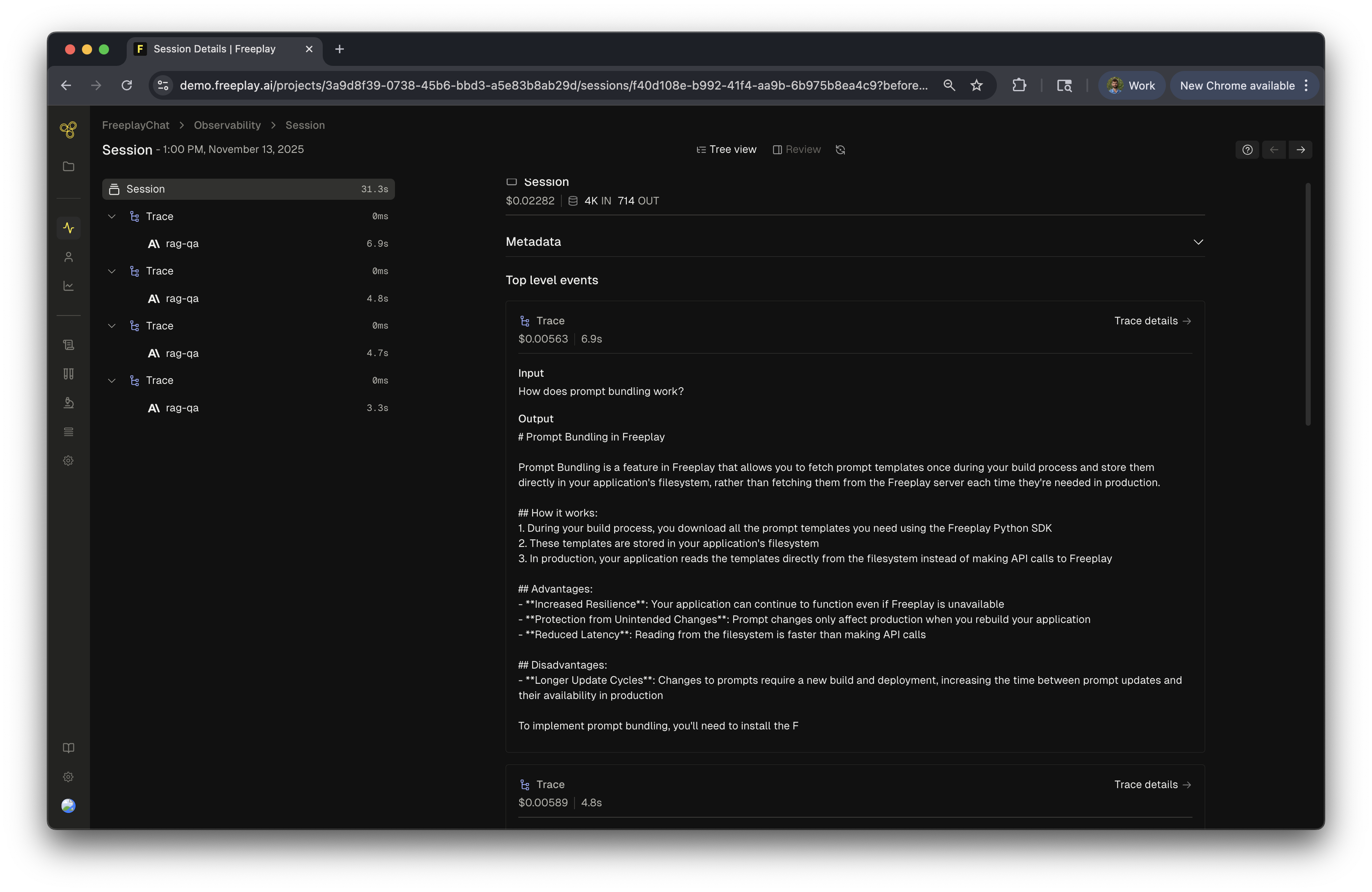
Inspecting What’s Happening Under the Hood
Click on any trace to see what’s actually happening behind that single user interaction. Often, a single user-facing response involves multiple LLM calls—like retrieval, reasoning, and generation steps.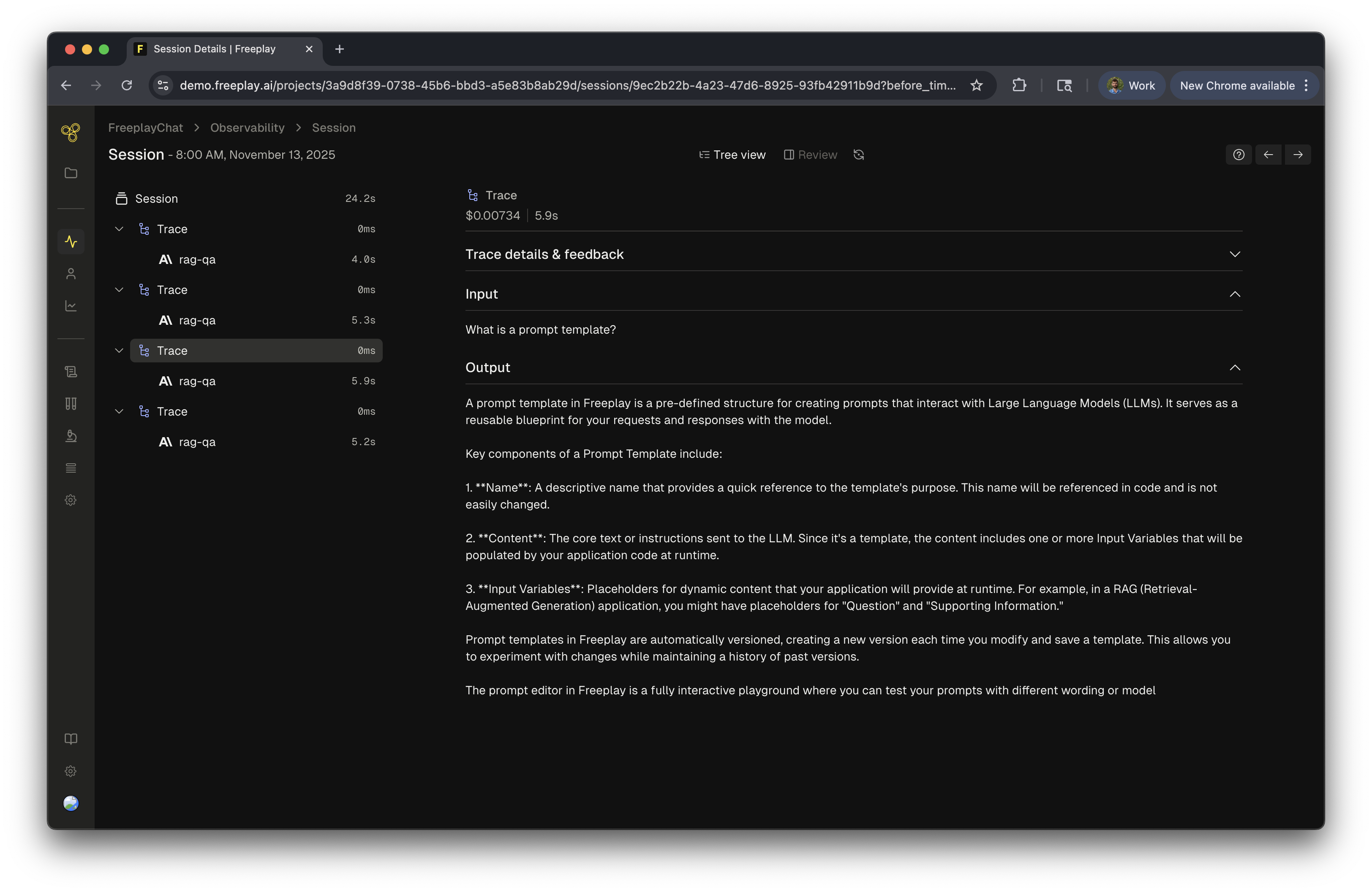
Diving into Individual Completions
Click on any completion within a trace to examine it in detail. Here you can see the full prompt, the model’s response, inputs, and the conversation history. All of this granular information gives you the most context you need to perform analysis and review the conversation.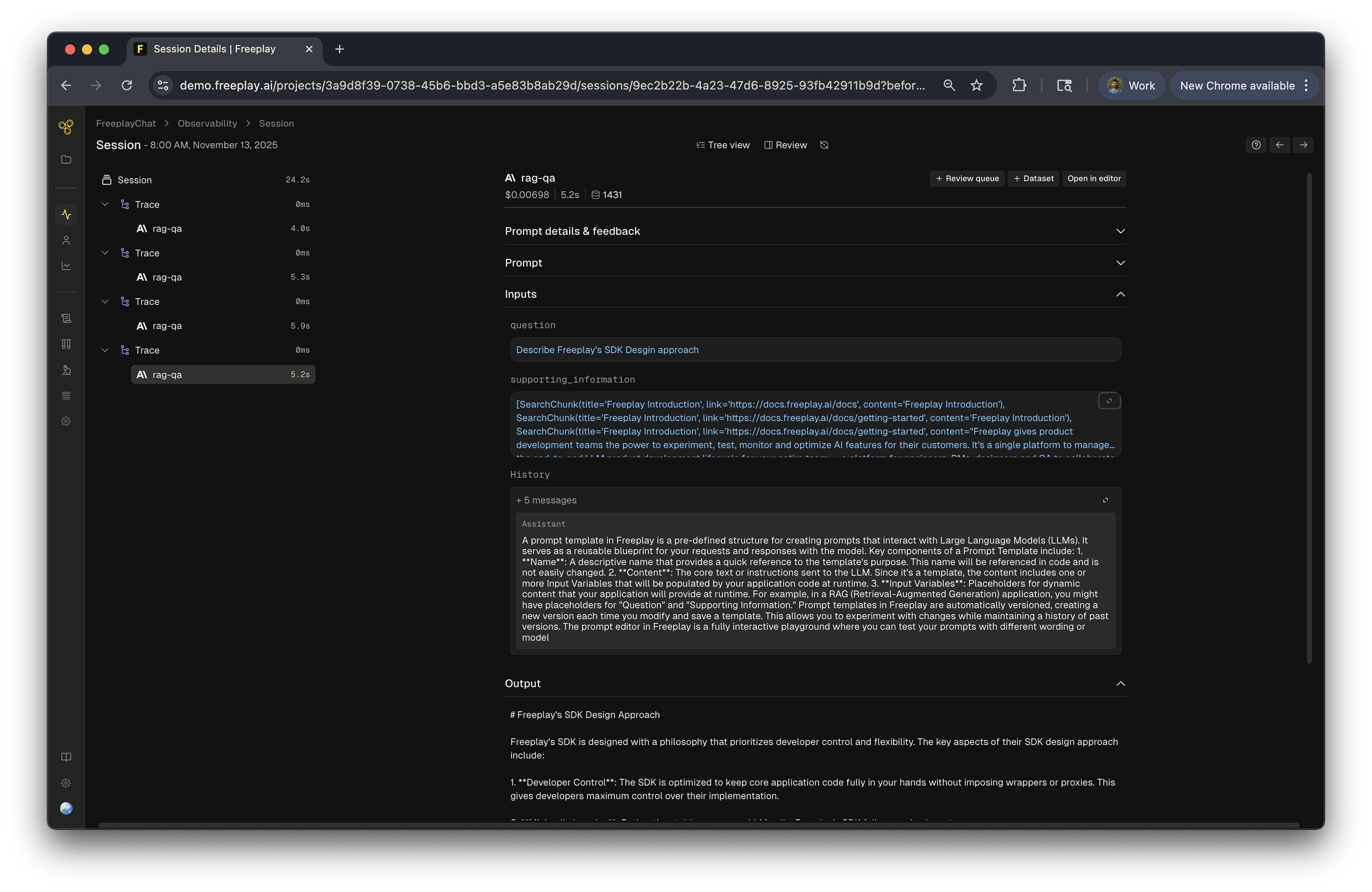
Multi-Turn Chat Testing
Save and modify history as part of datasets to simulate real conversations.
Whenever you save an observed conversation turn that includes history, it will be included in the dataset for future testing. You can also edit or add history objects to a dataset at any time in case you want to control exactly what goes into a test scenario. Auto-evals can target history as well for faster test analysis.Datasets and Test Runs
When building a chatbot, the testing unit remains at the Completion level but includeshistory when relevant. Consider this example again:
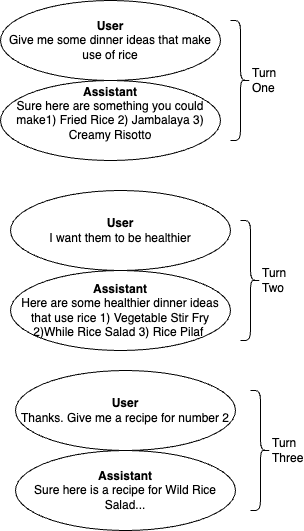
history object for the new completion.
Subsequent Test Runs using that Test Case would treat Turn One as static, meaning it is not recomputed during the Test Run. It would be passed as context when Turn Two is regenerated so that you can simulate that exact point in the conversation when testing.
Here’s a simple sample dataset row that includes several messages in the history object.
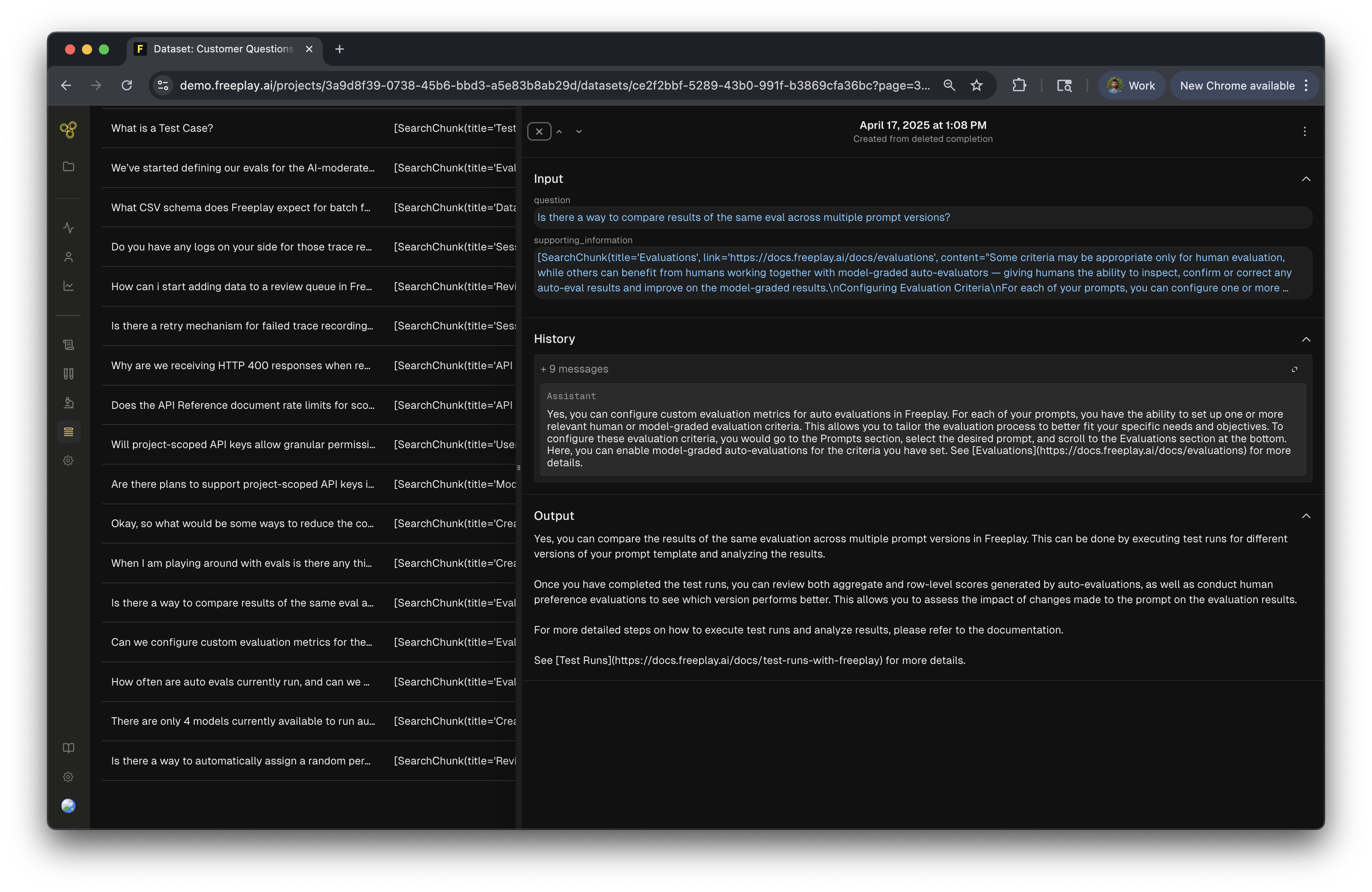
Auto Evaluations
History can be targeted in model-graded auto-evaluation templates like any other variable using the{{history}} parameter. This allows you to ask questions like: Is the current output factually accurate given the preceding context?
Multi-Turn Chat in the SDK
When formatting your prompts you will pass the previous messages as an array to thehistory parameter. The messages object will have the history messages inserted in the right place in the array, as defined in your prompt template. See more details in our SDK docs here.
all_messages object.
An end to end code recipe can be found here.
What’s Next Now that you’re well-versed on building multi-turn chatbots using the history object, let’s learn about model and key management.