

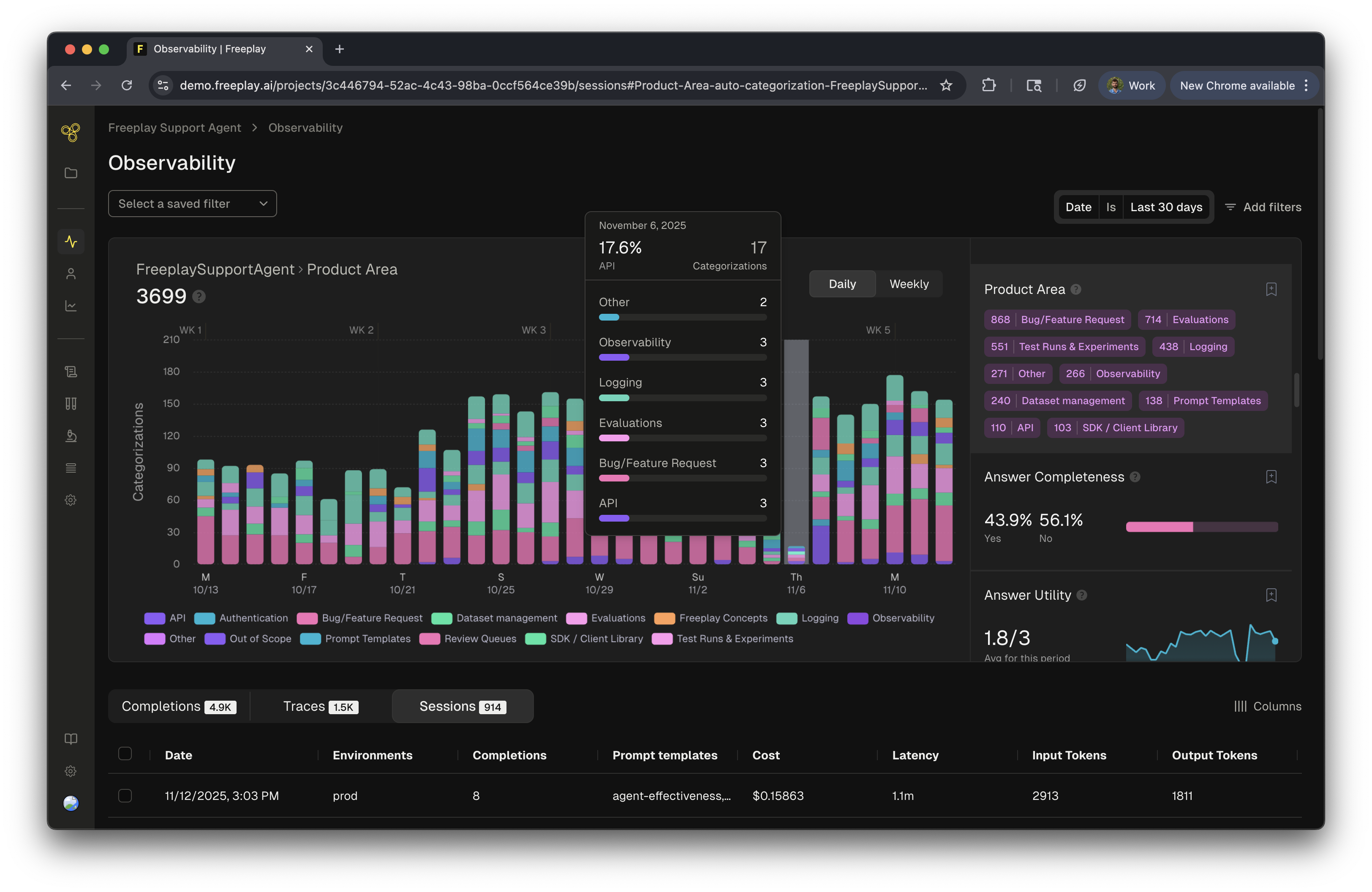
Overview
Auto-categorization provides teams with an additional layer of intelligence about their AI systems by automatically tagging incoming logs with specified categories. This feature adds valuable context to your production data, helping product and engineering teams understand how their AI applications are being used and where improvements are needed.Why Use Auto-Categorization
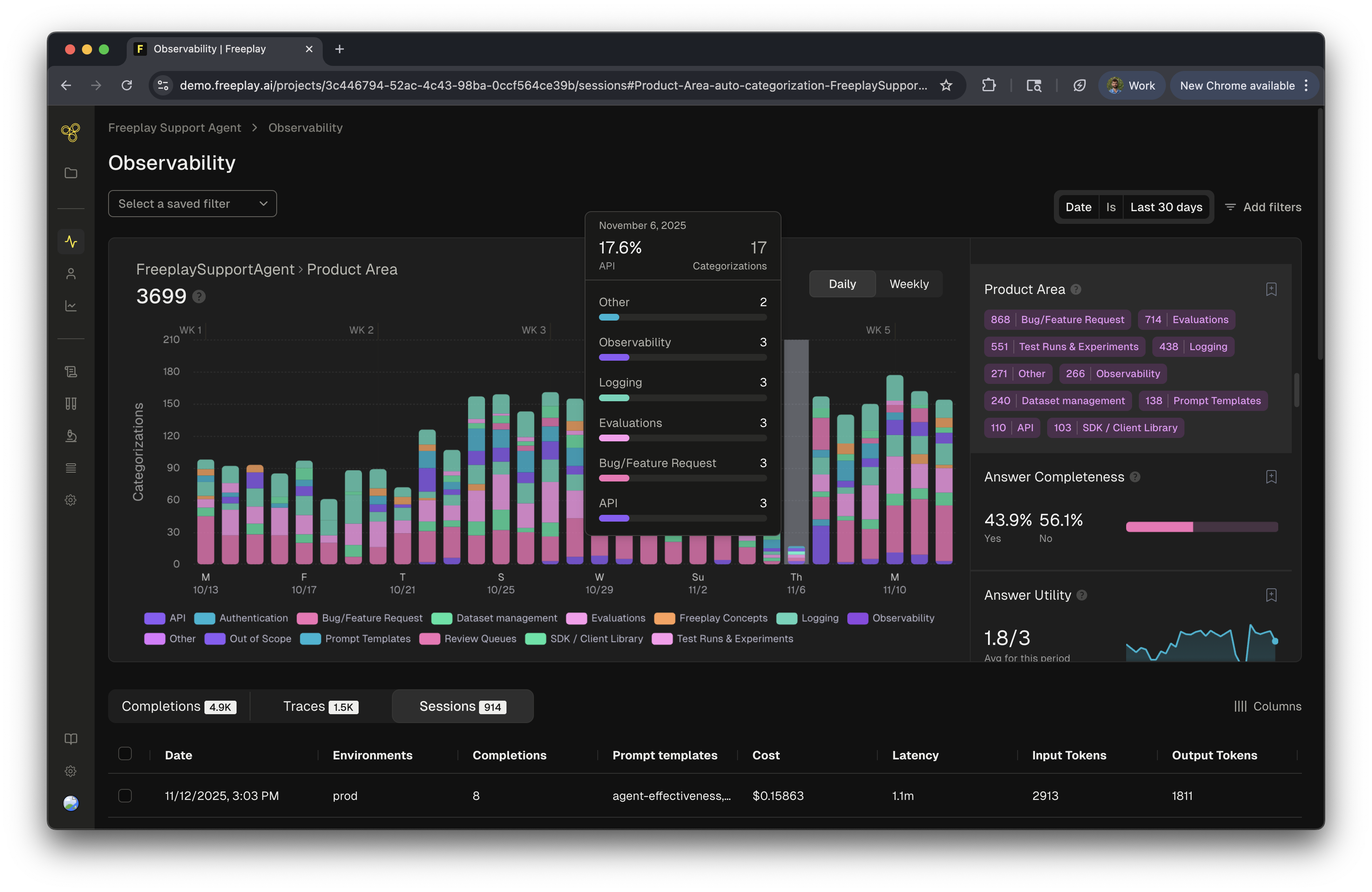
For teams building AI products, understanding usage patterns and identifying trends is essential. Auto-categorization reveals what types of questions users ask, which product areas generate the most activity, and where your system might need attention. When combined with evaluations, auto-categorization helps pinpoint exactly which types of inputs challenge your system. Tracking categories over time reveals usage trends, helps identify emerging patterns, and provides product teams with actionable insights about feature adoption and user behavior.Implementing Auto-categorization
Auto-categorization works at both the agent and completion level. Start by defining category types that align with your business needs—such as product areas (API/SDK, Observability, Prompt Management) or user intent types (Technical Support, Billing, Product Information).Creating Effective Categories
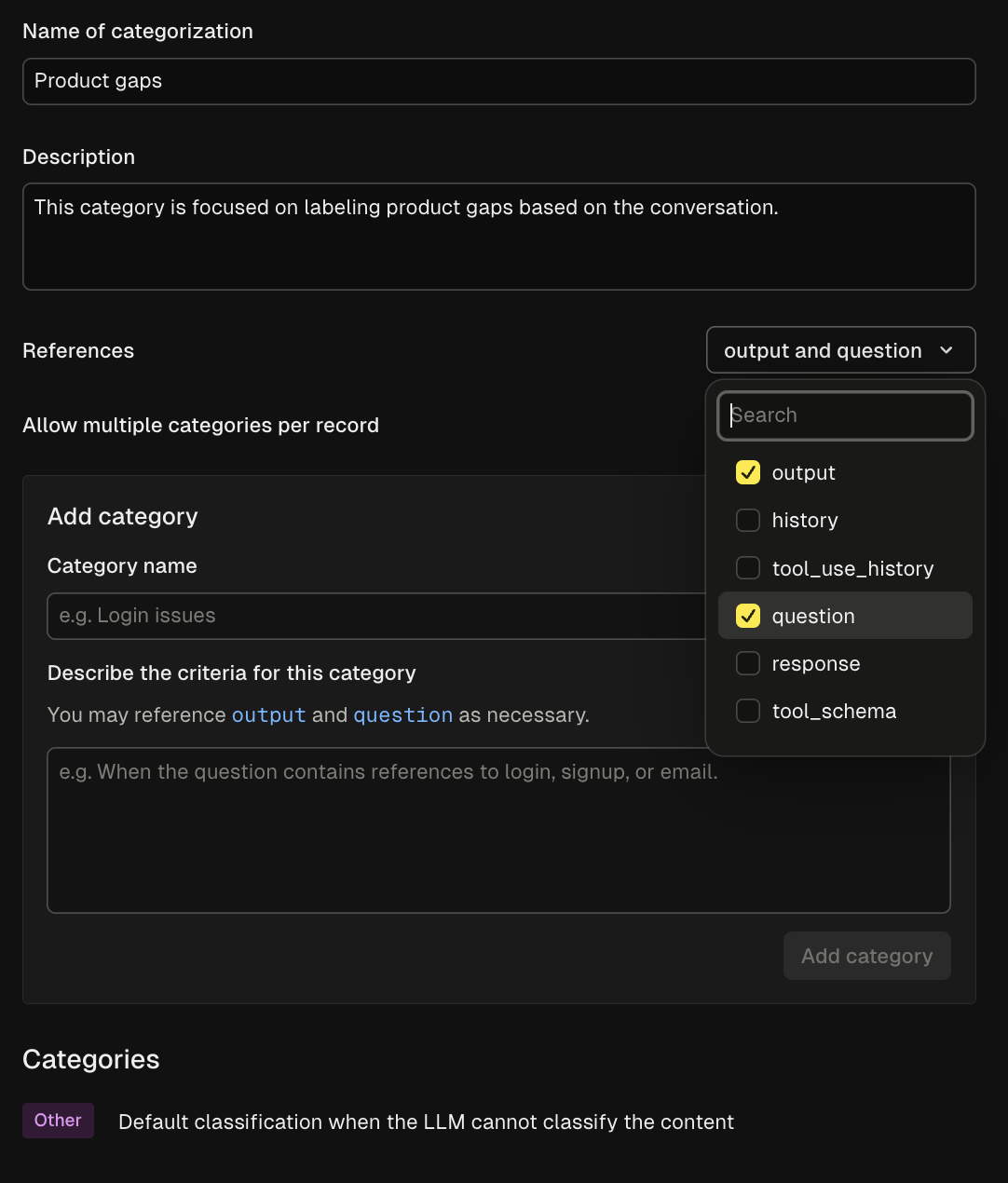
- Name your categorization scheme - Choose a descriptive name for the overall categorization (e.g., “Product Area”)
- Select relevant references - Choose which variables (input, output, history) the LLM should consider when categorizing
- Define individual categories - Add specific categories with clear, distinct descriptions
- Configure multi-category options - Decide whether items can be tagged with multiple categories or just one
Best Practices
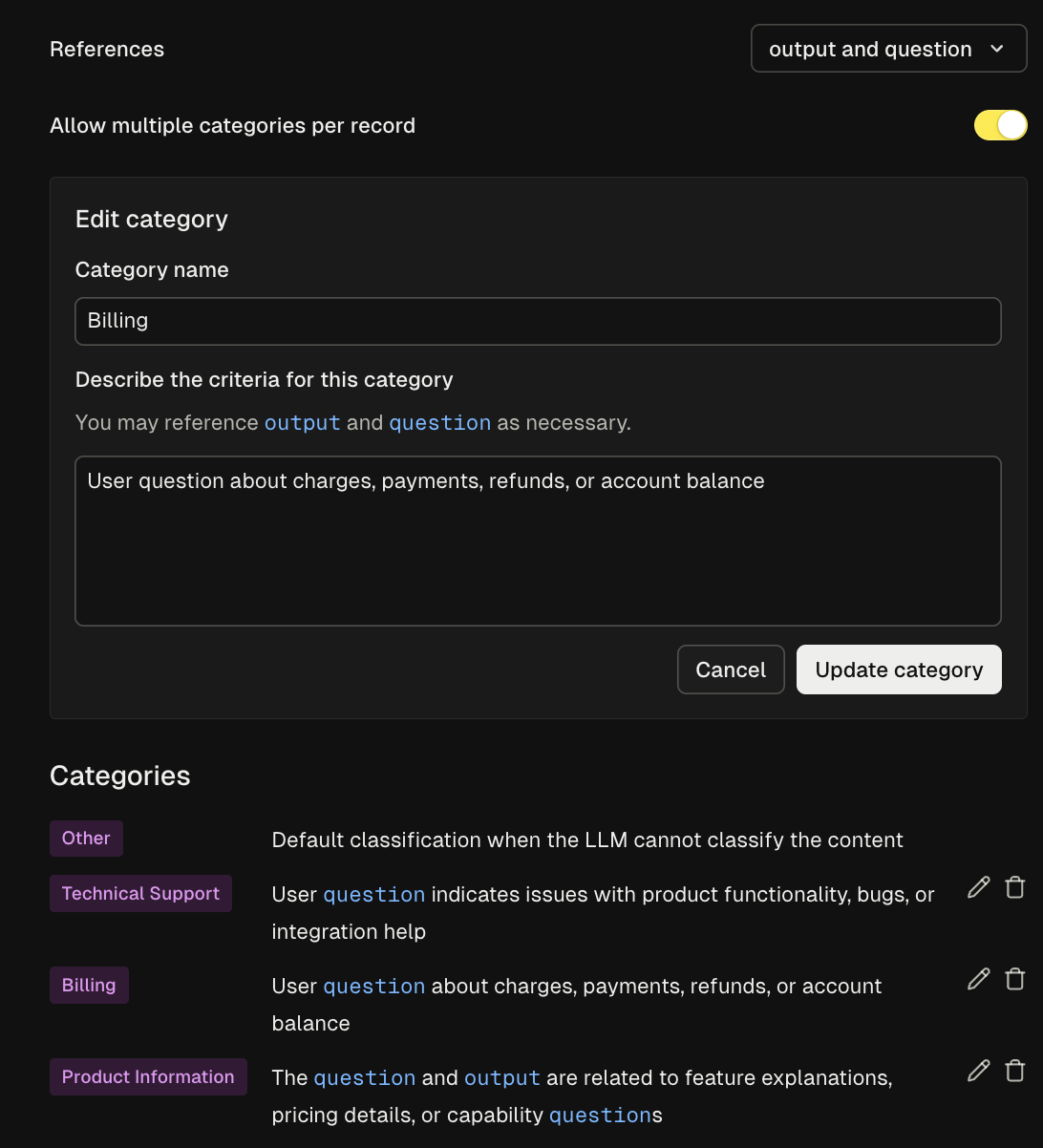
- Category: “API/SDK”
- Description: “Questions about API endpoints, authentication, SDK installation, code integration, or programmatic access to the platform”
Using Categories in Practice
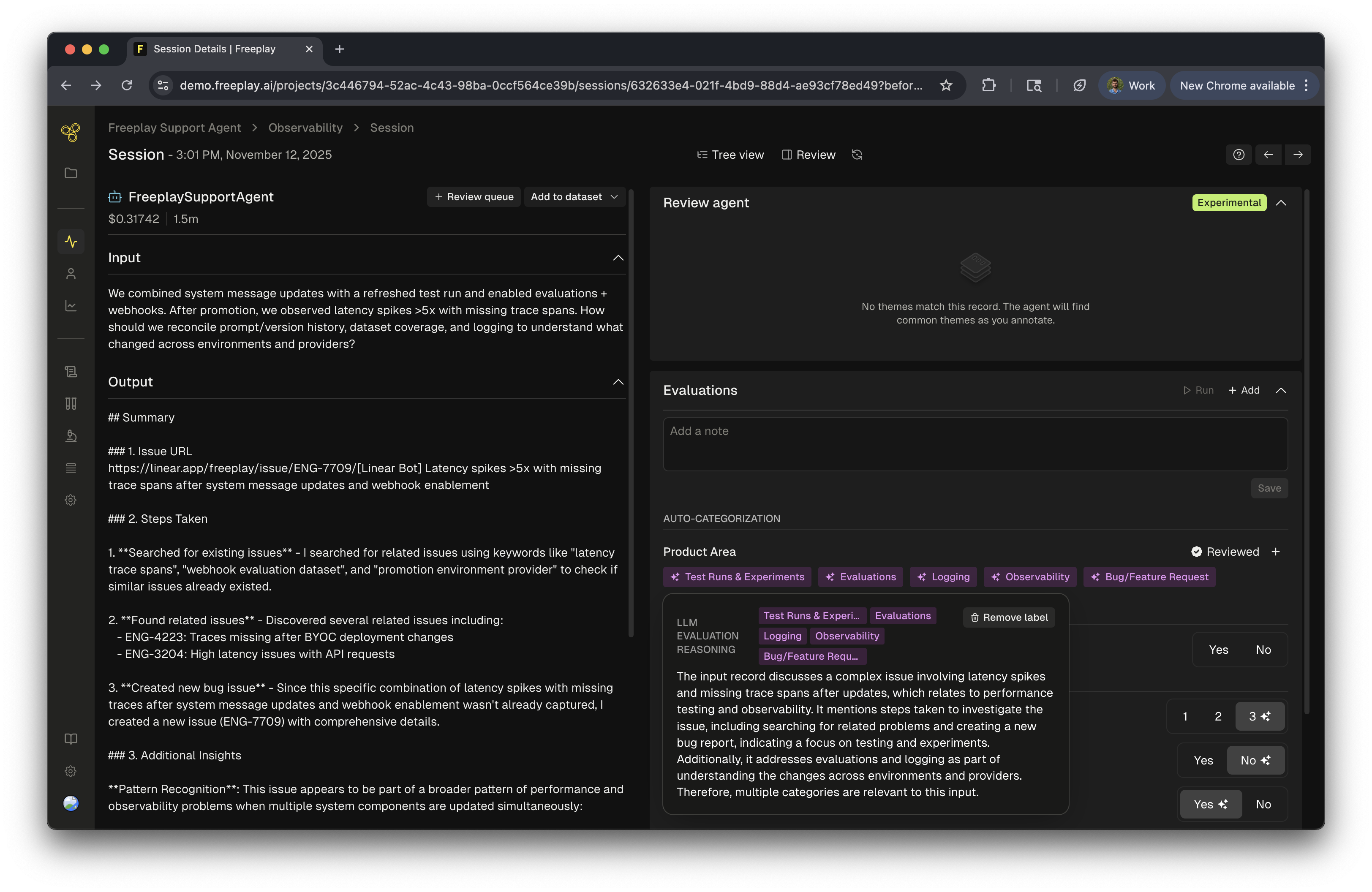
Observability & Monitoring
Creating Targeted Datasets and Review Queues
Auto-categorization streamlines the process of creating focused subsets for testing and review. By building targeted datasets, teams can create curated and focused datasets that can be used to test specific types of inputs. For review queue creation, this allows product and engineering teams to collaborate and focus on specific parts of the product for review. This helps the team concentrate and focus in order to improve quality of the system. To create and curate these review queues and datasets, simply use observability to search by the specific categories of the auto-categorization, select all the completions, and add to a dataset or review queue!Implementation Tips
Start with broad categories - Begin with high-level categorizations before creating more granular subcategories. For example:- Documentation - “Questions about finding, understanding, or using product documentation and guides”
- Account Management - “Login issues, password resets, user permissions, or team access concerns”
- Performance Issues - “Reports of slow response times, timeouts, high latency, or system availability problems”
Code Evaluations Review Queues