

Introduction
Component test runs focus on testing individual prompts and models in isolation. This targeted approach enables rapid iteration during development and makes testing accessible to all team members, regardless of technical expertise.Why Component Testing Matters
During prompt development, you need fast feedback on changes without the overhead of running your entire system. Component testing provides this rapid iteration cycle, allowing you to test dozens of variations in minutes rather than hours. It also democratizes testing—product managers, domain experts, and other stakeholders can validate outputs through the UI without writing code. Component tests excel at isolating variables. When you change a prompt’s instructions or switch models, you can see exactly how that specific change affects performance without other system components adding noise to your results.Testing via UI

Running Component Tests via SDK
While the UI excels at accessibility, the SDK provides programmatic control for automation and integration:Analyzing Results
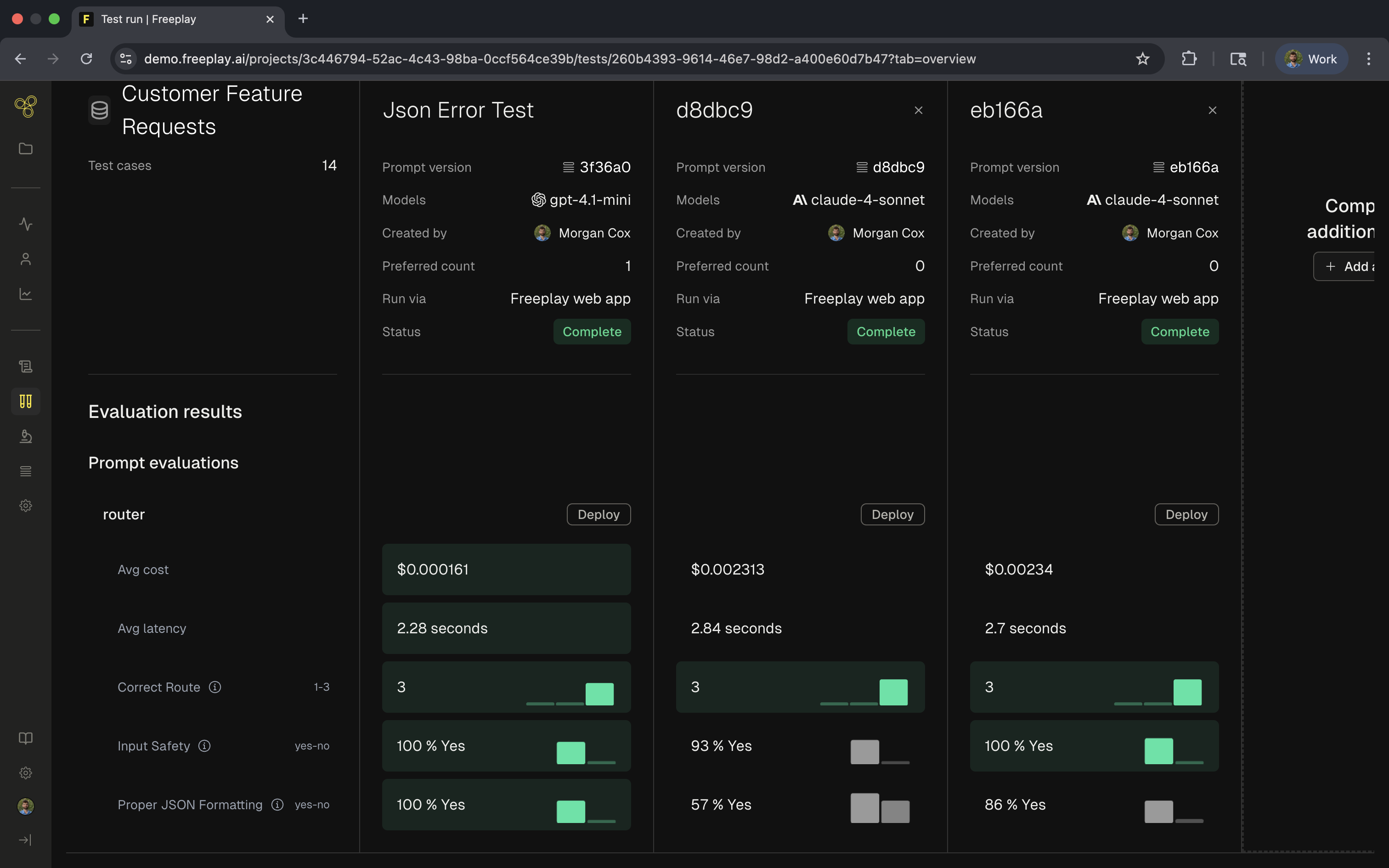
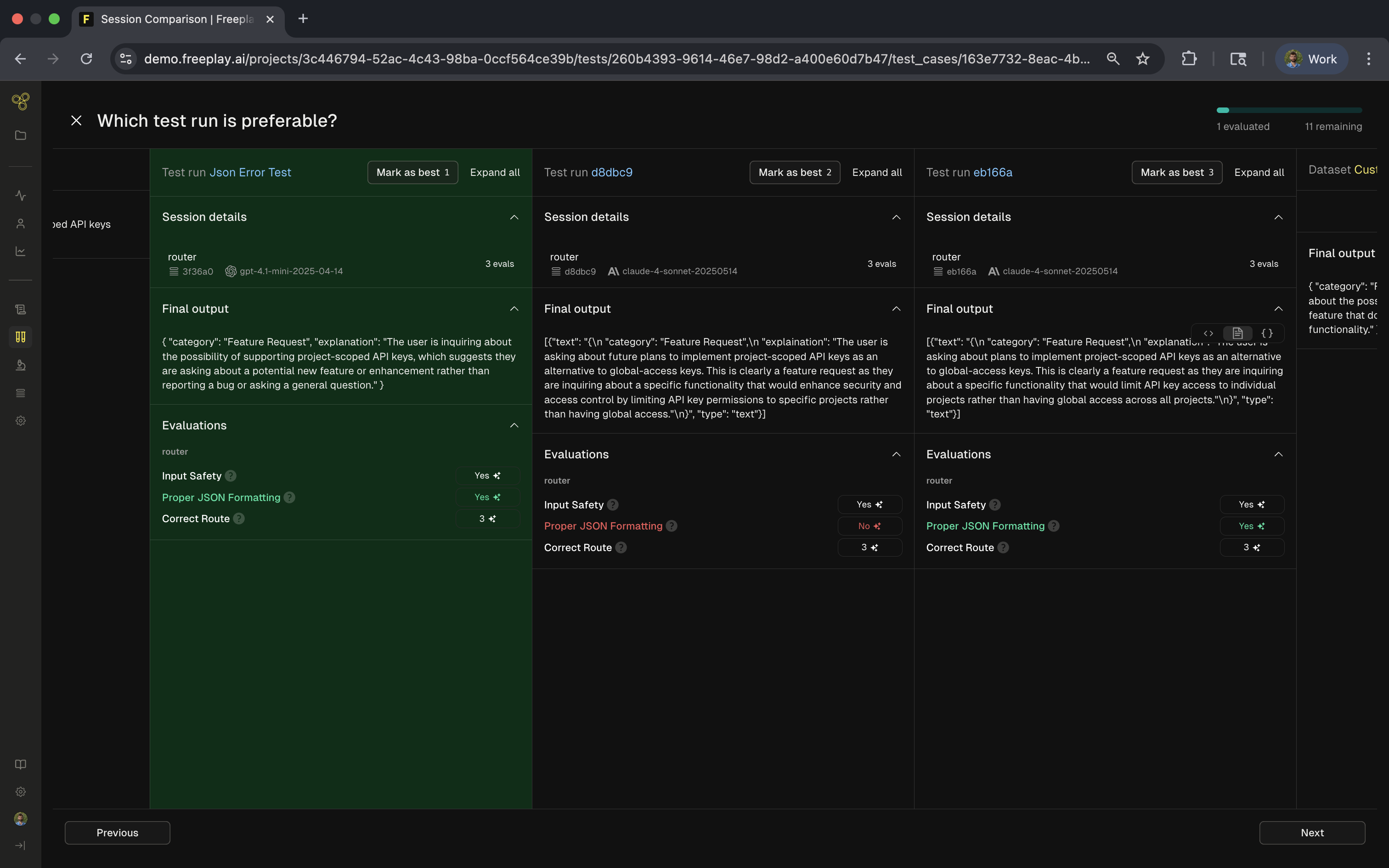
Component tests provide detailed insights into prompt performance. Evaluation scores show how well your prompts meet quality criteria like correctness, safety, and formatting. Cost and latency metrics help you balance quality with performance requirements. The row-level view lets you examine specific examples to understand failure modes. Click any test case to see the full input, output, and evaluation explanations. This granular inspection helps you identify patterns—perhaps your prompt struggles with certain input types or consistently fails specific evaluations.Best Practices
Start your testing with small datasets of 10-20 carefully chosen examples. This allows quick iteration while still catching major issues. Once you’ve refined your prompt, expand to larger datasets for comprehensive validation. Version your prompts thoughtfully. Create new versions for significant changes, add clear descriptions explaining what changed, and maintain a changelog of iterations. This discipline helps you track what works and roll back if needed. Use consistent datasets when comparing versions to ensure fair comparisons. A “Golden Set” of ideal examples serves as your north star, while edge case datasets help ensure robustness. Establish clear quality thresholds before testing. Decide what evaluation scores indicate success, which metrics matter most for your use case, and when a prompt is ready for production. These standards guide your iteration and prevent endless tweaking.Common Testing Patterns
A/B Testing Instructions: Test variations of your prompt instructions to find the most effective phrasing. Keep everything else constant while changing specific instructions to isolate their impact. Model Comparison: Run the same prompt across different models to find the best balance of quality, cost, and speed. This helps you choose between GPT-4’s power and Claude’s efficiency for your specific use case. Parameter Optimization: Test different temperature settings, token limits, and other parameters to fine-tune behavior. Lower temperatures provide consistency while higher values enable creativity. Format Validation: Ensure your prompts consistently produce the expected output format, whether that’s JSON, markdown, or structured text. Add format checking evaluations to catch deviations early.Integration with Development Workflow
Component testing fits naturally into your prompt development cycle. Begin by testing your current production version to establish a baseline. Identify improvement opportunities from failed test cases or user feedback. Modify your prompt based on these insights, run component tests to validate changes, and compare results against your baseline. Once tests pass your quality thresholds, you can deploy with confidence. Continue monitoring production performance and add new test cases based on real-world edge cases you discover.End-to-End Test Runs SDK Reference