

When to use JSON mode
JSON mode is ideal for:- Flexible data structures: When the exact output structure may vary based on input
- Rapid prototyping: Quick experimentation without defining formal schemas
- Simple JSON needs: Cases where valid JSON is sufficient without strict validation
- Production applications requiring guaranteed schema compliance
- Data that feeds directly into typed systems or databases
- Cases where validation and retry logic would be complex
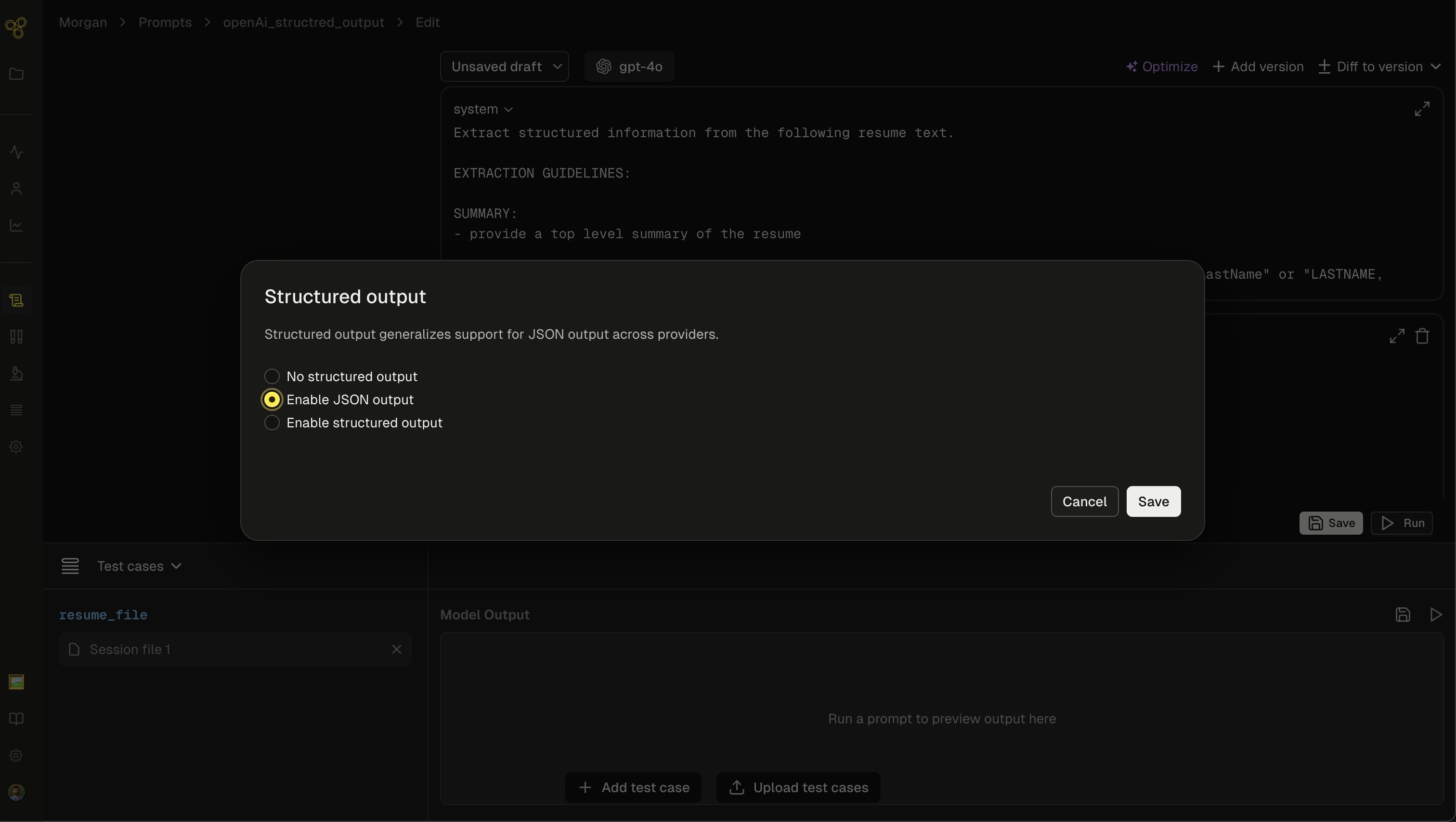
Enabling JSON mode in Freeplay
In the prompt editor
- Open your prompt template in the Freeplay editor
- Navigate to the output configuration section
- Select “Enable JSON output”
- Save your prompt template
In your prompts
When using JSON mode, always include explicit instructions in your prompt to output JSON:Best practices
Always instruct the model
Include clear instructions in your system message or prompt:Validate the output
JSON mode guarantees valid JSON syntax, but not a specific structure. Always validate the output:Provide examples
For consistent output structures, include examples in your prompt:Handle edge cases
JSON mode can fail in certain edge cases:- Token limit reached: Output may be incomplete JSON
- Model refuses: Safety refusals may not be valid JSON
finish_reason:
Recording to Freeplay
Record your JSON mode completions to Freeplay like any other completion: Python:JSON mode vs structured outputs
Recommendation: Use structured outputs for production applications requiring reliable, schema-compliant data. Use JSON mode for prototyping or when you need flexible JSON without strict validation.
Troubleshooting
Issue: Model not outputting JSON- Solution: Ensure “JSON” appears in your prompt instructions. Add explicit JSON format instructions.
- Solution: Check
finish_reason. If it’slength, increasemax_tokens. If it’scontent_filter, adjust your input.
- Solution: Provide clear examples in your prompt. Consider using structured outputs if you need guaranteed schema compliance.
Structured Outputs (OpenAI) Prompt Bundling