> ## Documentation Index
> Fetch the complete documentation index at: https://docs.freeplay.ai/llms.txt
> Use this file to discover all available pages before exploring further.
# Review Insights
> Review Insights work alongside your human reviewers to perform real-time root cause analysis.
As your team reviews completions and traces, the insights agent surfaces patterns and groups them into actionable findings.
 ## How they work
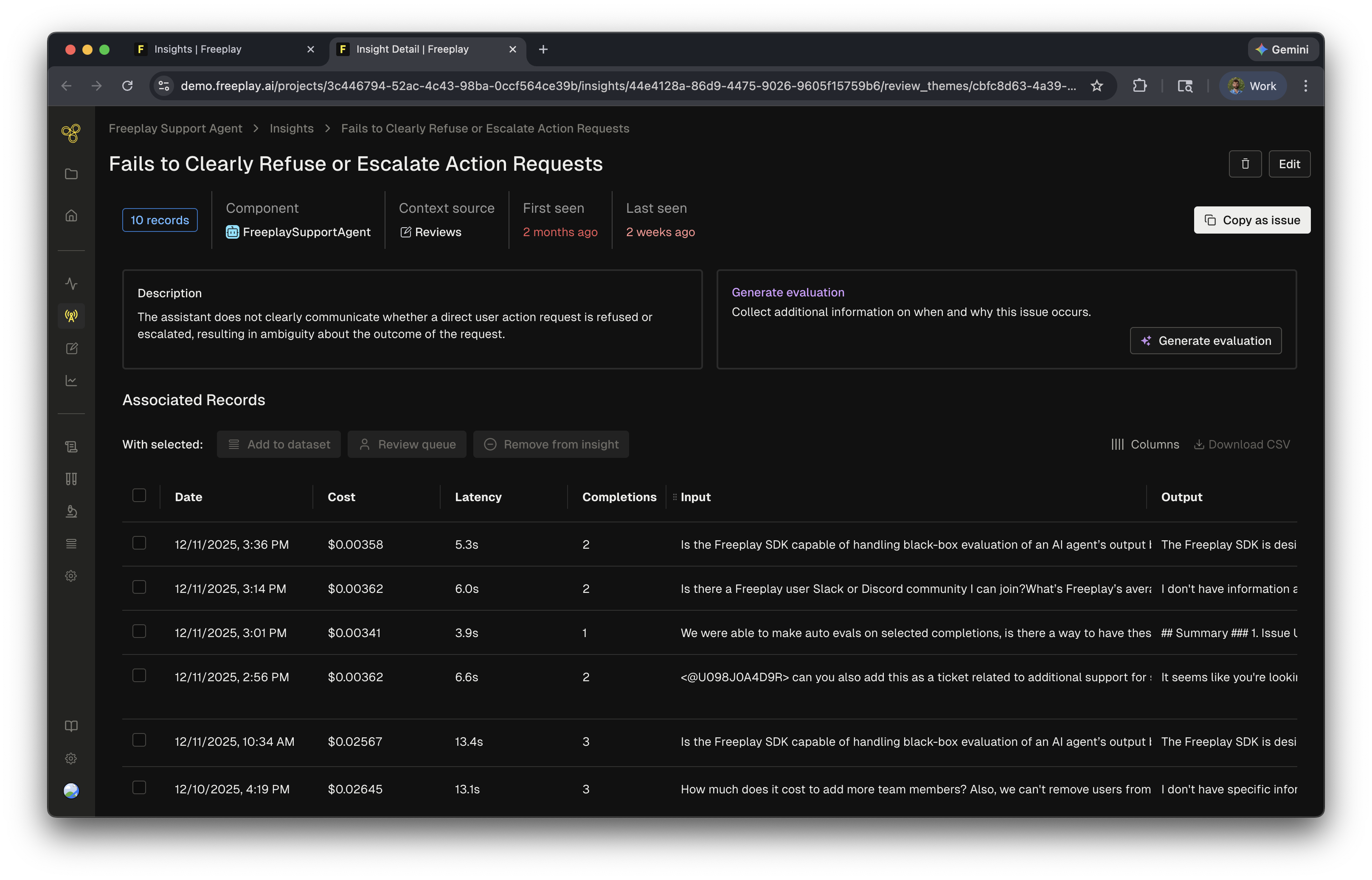
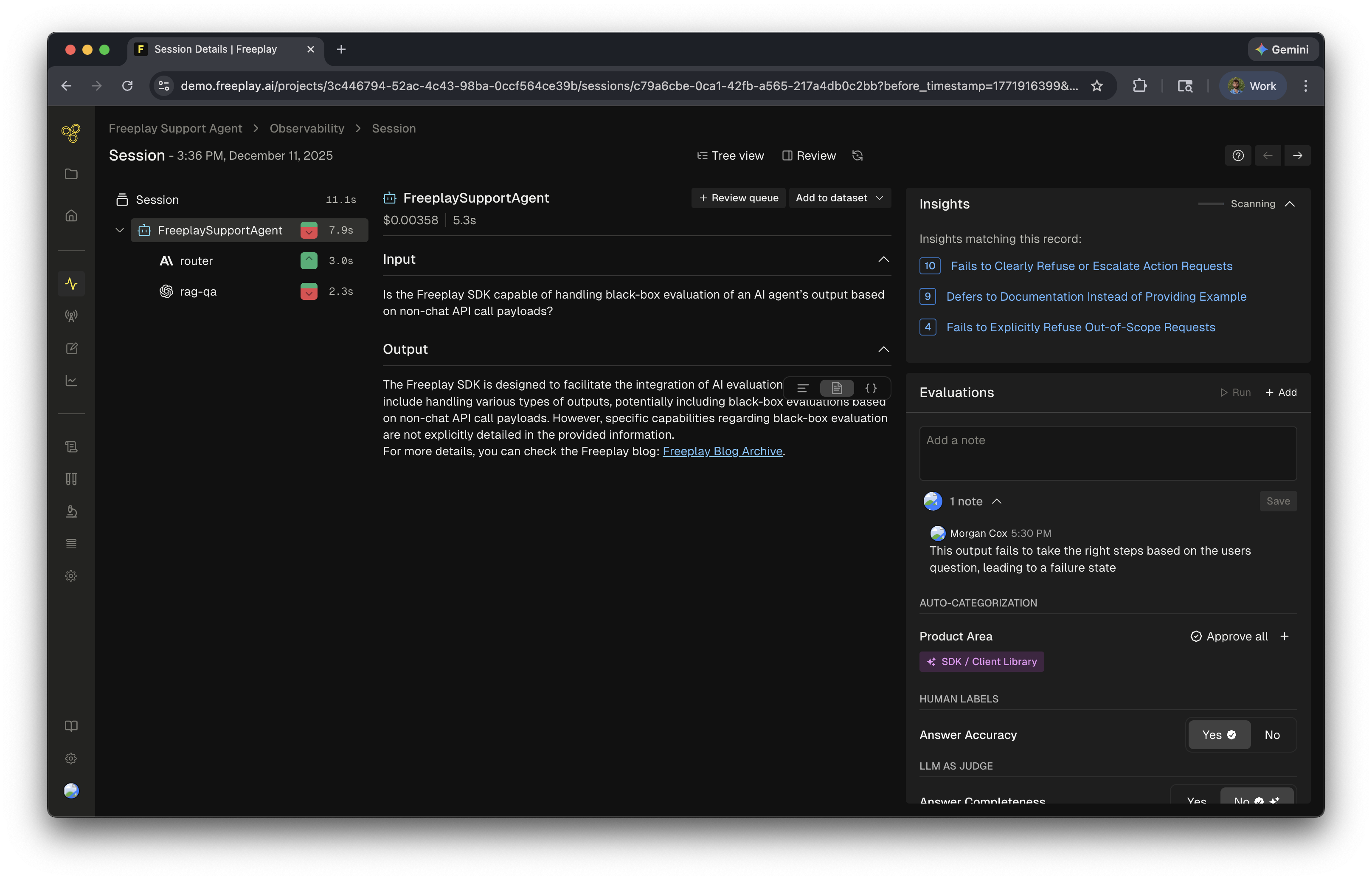 When humans label data in Freeplay the Insights agent analyzes each reviewed item in the background. It identifies common patterns, groups related items into **themes**, and suggests actions based on what it finds.
The inputs to Review Insights include:
* **Human labels** — annotations, notes, and scores from human reviewers
* **LLM-as-a-judge evaluations** — scores and reasoning from your auto-evaluators applied during review
* **Logs** — the completions or traces that were evaluated
## When they run
Review Insights run **anytime a human label is added** to data. Every annotation — notes, human evals, or LLM-as-a-judge evals — triggers the agent to analyze and update insights. When combined with [Review Queues](/core-concepts/review-queues) these review insights can point to key issues in your system.
Review Insights can be disabled in **Project Settings > AI Features**.
Review Insights themes are generated automatically and may occasionally be too broad or too narrow. Regularly review themes and use merge/prune actions to keep them useful.
## Related resources
* [AI Insights Overview](/core-concepts/ai/ai-insights) — How Freeplay's AI Insights work across the platform
* [Review Queues](/core-concepts/review-queues) — Set up human review workflows that generate Review Insights
* [Model-Graded Evaluations](/core-concepts/evaluations/model-graded-evaluations) — Configure the LLM judges that feed into Insights
When humans label data in Freeplay the Insights agent analyzes each reviewed item in the background. It identifies common patterns, groups related items into **themes**, and suggests actions based on what it finds.
The inputs to Review Insights include:
* **Human labels** — annotations, notes, and scores from human reviewers
* **LLM-as-a-judge evaluations** — scores and reasoning from your auto-evaluators applied during review
* **Logs** — the completions or traces that were evaluated
## When they run
Review Insights run **anytime a human label is added** to data. Every annotation — notes, human evals, or LLM-as-a-judge evals — triggers the agent to analyze and update insights. When combined with [Review Queues](/core-concepts/review-queues) these review insights can point to key issues in your system.
Review Insights can be disabled in **Project Settings > AI Features**.
Review Insights themes are generated automatically and may occasionally be too broad or too narrow. Regularly review themes and use merge/prune actions to keep them useful.
## Related resources
* [AI Insights Overview](/core-concepts/ai/ai-insights) — How Freeplay's AI Insights work across the platform
* [Review Queues](/core-concepts/review-queues) — Set up human review workflows that generate Review Insights
* [Model-Graded Evaluations](/core-concepts/evaluations/model-graded-evaluations) — Configure the LLM judges that feed into Insights